Inner Range Integriti v2.17 Adds Hikvision Video Integration For Live And Recorded Viewing And Camera Control.
Partnership · Inner Range x Hikvision
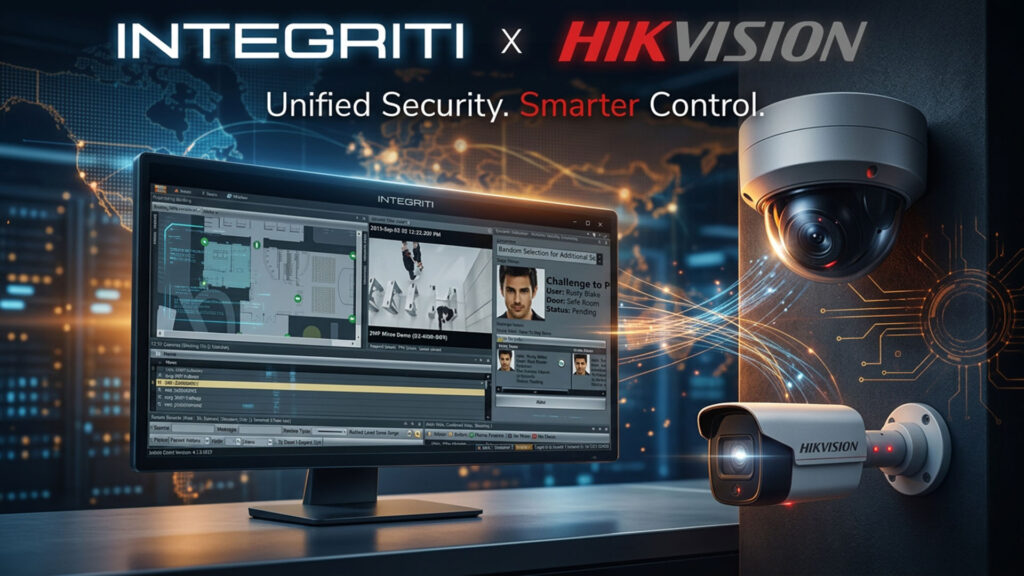
Unified Security. Smarter Control.Campaign line and marks: Inner Range and Hikvision. Integriti Integration v2.17 for Hikvision Video, November 2026. Top rail: Hikvision events into Integriti. Bottom rail: Integriti control out to the cameras. Both directions are stated in the release.
Inner Range Integriti v2.17 Adds Hikvision – Inner Range has released Integriti Integration v2.17 for Hikvision Video, adding direct management of Hikvision video systems from the Integriti security management platform.
The integration allows users to view live and recorded video, control PTZ presets and trigger actions from within Integriti. Hikvision NVRs are supported through the latest Hikvision Device Network SDK, HCNetSDK v6.1.9.
Camera licensing, the number that decides the quote
Integriti Business32 cameras includedOne CCTV licence per camera. Grows in lots of eight with the 996921 “CCTV – Extra 8 Cameras” licence. Unlicensed cameras appear in Integriti but can’t be used.Per Inner Range release notes (v2.15 edition)
Integriti Corporate∞ cameras, no camera licencesUnlimited cameras with no additional camera licensing. The edition itself is the cost; the camera count stops being a line item.As stated in the release and the notes
HCNetSDK 6.1.9Hikvision device SDK the plugin talks through
NVR-basedHikvision NVRs supported; cameras arrive via the recorder
Business or CorporateCCTV integrations aren’t available on lower editions
v2.17Released November 2026; previous public notes stop at v2.15
Reading it: on Business, a site that drifts past 32 cameras buys expansion in blocks of eight, so camera 33 costs the same as camera 40. Somewhere in that curve Corporate becomes the cheaper edition; Inner Range’s dealer pricing decides where. Lot size and part number from Inner Range’s Hikvision plugin release notes (v2.15, June 2024); confirm they carry unchanged into v2.17.
Integriti Business supports up to 32 cameras in its standard configuration, with additional licensing available for expansion. Meanwhile, Integriti Corporate supports unlimited cameras without additional camera licensing.
When it comes to functionality, the integration supports digital PTZ control, licence plate recognition, video event and alert automation, and direct camera control from Integriti schematics and maps. Cameras can be associated with Integriti entities and events, with video automatically displayed when defined events occur.
Users can control playback speed and aspect ratio, export video clips and snapshots to the Integriti Evidence Vault and use audio streaming and communication through supported video cameras.
Hikvision video events can also trigger Integriti actions and generate alerts, allowing video analytics to form part of wider security responses rather than operating separately from access control and other security functions.
Two directions, one platformWhat “integration” means here, drawnThe release lists features. The useful question for a specifier is which way the events run, because that is what changes an operator’s night.
← swipe to see the full flow →
Then Integriti can: raise an alert to the operator, trigger an input or action (lock a door, start a macro), log a categorised review record and pop the video.
The operator gets: the camera on the schematic, PTZ to a preset, playback speed and aspect control, clip and snapshot export to the Evidence Vault, and two-way audio on supported cameras.
Why it matters: most CCTV-to-access integrations only do the second direction (event pops video). The first direction, where a Hikvision analytic or LPR hit drives an Integriti action, is what lets a camera arm a zone or open a boom gate without a separate VMS rules engine. Both are stated in the release; the examples in the diagrams are SEN’s. Inner Range Integriti v2.17
Inner Range Integriti v2.17 also includes improvements to the handling of video analytic events and playback times across different time zones.
Integriti Hikvision Integration Features - Inner Range Integriti v2.17
Integriti Hikvision integration featuresFourteen capabilities, sorted by what they do for the operatorThe same list as Inner Range’s, regrouped. Only one card is new in v2.17; the rest is what you get by being on the plugin at all.
ViewLive and archived Hikvision video from IntegritiBoth streams inside the Integriti client, no second application.
ViewHikvision NVR support via HCNetSDK v6.1.9Cameras arrive through the recorder; the plugin talks the current Hikvision device SDK.
ViewCamera control from schematics and mapsClick a camera on the site drawing to view and drive it in place.
ControlPTZ presets and digital PTZSend a camera to a preset, or pan and zoom digitally on fixed cameras.
ControlPlayback speed and aspect ratioOperator controls on recorded footage from within the viewer.
ControlAudio streaming and talk-backListen and speak through supported Hikvision cameras.
AutomateVideo event and alert automationHikvision events raise Integriti alerts and trigger actions.
AutomateAutomatic video on defined eventsA door, alarm or card event pops its associated camera, live or recorded.
AutomateCamera association with entities and eventsTie cameras to doors, areas, inputs and users so context follows the event.
AutomateLicence plate recognitionLPR reads from Hikvision feed Integriti as events, usable in access logic.
EvidenceClip and snapshot export to Evidence VaultFootage leaves the viewer into Integriti’s evidence store with the event record.
New in 2.17EvidenceAnalytic event handling and time-zone playbackBetter handling of analytic events; playback times correct across time zones.
Licensing32 cameras in Integriti BusinessExpansion available in lots of eight (996921 licence, per the v2.15 notes).
LicensingUnlimited cameras in Integriti CorporateNo additional camera licensing on the Corporate edition.
Source: feature list as published by Inner Range for v2.17; grouping and one-line notes are SEN’s. Expansion lot size from the v2.15 release notes.
You can learn more about Inner Range solutions here or read more SEN news here.
Next stepOne operator screen for access, alarms and Hikvision videoIntegriti Integration v2.17 for Hikvision Video is available now from Inner Range and its accredited dealers. Check the edition (Business or Corporate), the camera count against the 32-camera base, and the Integriti version on the server before you book the upgrade.
“Inner Range Integriti v2.17 Adds Hikvision Video Integration For Live And Recorded Viewing And Camera Control.”
Questions & AnswersInner Range Integriti v2.17 for Hikvision: what installers are askingDo I need Integriti Business or Corporate to use the Hikvision integration?
Yes. Inner Range’s release notes state CCTV integrations require the Business or Corporate software edition. Business includes 32 cameras and expands in lots of eight; Corporate has no camera licensing at all.
How many Hikvision cameras can Integriti Business handle?
32 in the standard configuration, with additional licensing available for expansion. The v2.15 notes name the 996921 “CCTV – Extra 8 Cameras” licence for that; confirm the part number still applies to v2.17.
Does it connect to cameras directly or through an NVR?
Through Hikvision NVRs, using the Hikvision Device Network SDK (HCNetSDK v6.1.9). Cameras come into Integriti via the recorder, which is where they are configured.
Can a Hikvision analytic event, such as a licence plate read, trigger something in Integriti?
Yes. Hikvision video events can trigger Integriti actions and generate alerts, so an LPR hit or line-crossing event can drive access control and alarm responses rather than sitting in a separate video system.
What is actually new in Inner Range Integriti v2.17 compared with earlier versions?
The release lists improvements to video analytic event handling and to playback times across different time zones. Most of the headline features (live and recorded video, PTZ, LPR, Evidence Vault export, audio) were already in the plugin; v2.17 refines them.
What Integriti version do I need before installing v2.17?
Inner Range has not yet published v2.17 notes. The v2.15 edition required Integriti Pro or Infiniti v22.0.1 or higher with a v23 licence, and Integriti v24.0+ for PTZ preset configuration and stream selection. Confirm the v2.17 minimums with Inner Range before scheduling the upgrade.
Can it run on the same server as other Integriti CCTV plugins?
Not alongside the Integriti X2 CCTV plugin: the release notes say the two cannot be installed on the same machine, and X2 must be removed first.
SEN readers are the people doing the work — installers, integrators, engineers, specifiers and end users. If you’ve got hands-on experience, a correction, or a view worth arguing, put it below.
Security & Electronics Networks - Leading the Security Industry with News and Latest Events. Providing information and pre-release updates on the latest tech and bringing it all to you daily. SEN News has been in print for over 20 years and has grown strong as a worldwide resource in digital media.
CABVIX Security And Network Infrastructure Management Developed In Tasmania.CABVIX Security And Network Infrastructure Management - Tasmanian security and network...
Maribyrnong River Children’s Centre Seeks Access Control Upgrade As Part Of Building Extension.Maribyrnong River Children’s Centre Seeks Access Control...
City of Kalgoorlie-Boulder Seeks Electronic Security Contractor For Installation, Maintenance And Technical Support.City of Kalgoorlie-Boulder Seeks Electronic Security -...