Mark Shannon, national product manager, BGW Technologies.
What’s New in Milestone XProtect 2026 R2 For Video Surveillance System Operators And Administrators?
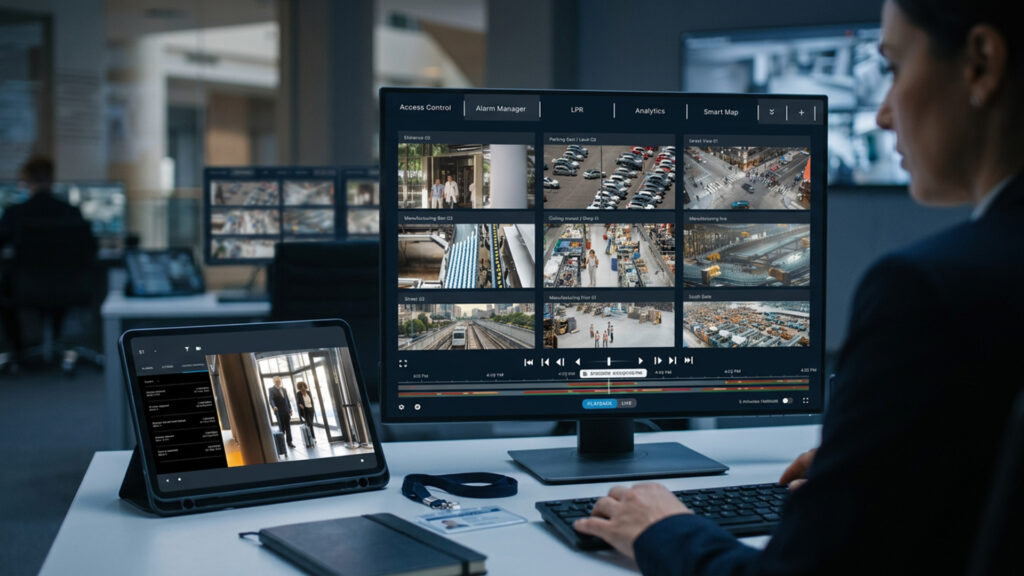
What’s New in Milestone XProtect 2026 R2 – According to BGW Technologies national product manager, Mark Shannon, XProtect 2026 R2 gives operators more context and loads administrators with less to manage.
“XProtect 2026 R2 is about seeing the bigger picture,” says Shannon. “Operators get more context in the moment, and administrators get tools that make growing systems far easier to run.“
Who gets whatWhat 2026 R2 changes for your rolePick a role to see the three changes that matter most, and what they replace.
What changes for operators
MapsBeforeWorking out which camera covers an alarm from memory, or from a static floor plan on the wall.With 2026 R2Cameras, alarms, devices and live video on geographic and floor-plan views, layered with site data.
Sticky NotesBeforeShift handovers and site instructions buried in an email thread.With 2026 R2One colour-coded note per camera, right in the Smart Client view.
Mobile ClientBeforeEvidence had to wait until someone was back at a desk.With 2026 R2Export evidence packages from the mobile app.
“Operators get more context in the moment.” — Mark Shannon, BGW Technologies
What changes for administrators
Permission InheritanceBeforeSetting access by hand for every camera added.With 2026 R2New devices take on their group’s permissions automatically.
Server LogsBeforeAudit, system and rule logs checked in separate places.With 2026 R2All three in one place, and they feed third-party log tools.
Update ManagerBeforeUpdating Smart Client hosts one machine at a time.With 2026 R2Smart Client, Device Packs and AXIS Optimizer updated across hosts from one interface.
“Administrators get tools that make growing systems far easier to run.” — Mark Shannon, BGW Technologies
What changes for installers
Selective RedactionBeforeSharing exported video meant exposing everyone in frame.With 2026 R2Choose which detected faces and licence plates stay visible in the export.
Update ManagerBeforeSite visits just to keep client machines current.With 2026 R2Keep every site current from one interface, with built-in system checks.
Edition coverageBeforeFeatures reserved for top-tier licences.With 2026 R2Core features across Express+, Professional+, Expert and Corporate.
“With the core features running from Express+ through to Corporate, there’s value in it for every customer.” — Mark Shannon, BGW Technologies
Features as described by BGW Technologies; the “before” column is SEN’s summary of the problem each one addresses.
For Shannon, the new Maps experience, arriving with the latest Smart Client in November, leads the release.
“Maps brings cameras, alarms and live video together with site data and external layers, so operators can see exactly where an incident is unfolding and which cameras matter,” Shannon says.
“In particular, Sticky Notes add context directly in the camera view and allow shift handovers and site instructions to stay with the camera they relate to, not buried in an email.”
Sticky Notes · Smart ClientWhere does the handover live?Flip between the old way and 2026 R2. One note per camera, colour-coded by importance.
Smart Client · View: Perimeter3 cameras
Cam 04 · Gate ALIVEInfoGate A: check ID for every vehicle, 24/7.
Cam 11 · Loading dockLIVEHandoverNight shift: contractor van booked 6am. Let through, log the plate.
Cam 17 · Fire stair 3LIVEUrgentDoor 3 alarm faulty. Patrol hourly until the tech signs it off.
Night supervisorFW: contractor van tomorrow — which dock?Wed
Site managerFire stair door — see thread below (14)Thu
ITRe: Re: Re: camera rename listFri
Which camera was that about again?
InfoHandoverUrgentManaged centrally in the Management Client
Illustration by SEN; colours and notes are examples, not Milestone’s interface.
On the administration side, Server Logs centralise audit, system and rule logs, while Permission Inheritance automatically applies group permissions to new devices.
“This is particularly valuable, as operators can define access once and it follows every camera they add,” Shannon explains.
Permission InheritanceDefine access once. Every new camera follows it.Add a camera to the group and watch it pick up the group’s permissions.
Device group: Car park, Level 2Permissions are set on the group, not the camera
Permissions set by hand for Cam 043one per role0inherited from the group
Where it pays offLarge sites adding cameras every month, where “operators can define access once and it follows every camera they add.”
Illustration by SEN; roles and access levels are examples.
“On large sites, that will give operators hours back. They will also appreciate Selective Redaction, while functionalities like Mobile Client evidence export and Update Manager round out the release.”
Installers can also share evidence without exposing bystanders and keep every site current from one interface, Shannon says.
Selective Redaction · try itShare the evidence, not the bystandersTick what stays visible in the export. Everything else is masked before the video leaves the building.
XPR·26R2
kept visibleredactedApplies to detected faces and licence plates in exported video
Illustration by SEN of the feature as described by BGW Technologies; not Milestone’s interface.
“With the core features running from Express+ through to Corporate, there’s value in it for every customer,” Shannon explains.
“To learn more about Milestone XProtect 2026 R2, reach out to your local BGW Technologies branch, our teams have the best Milestone experience in the industry to support you on every job.”
You can contact the BGW Technologies’ team to learn more about Milestone XProtect here or read more SEN news here.
Supplied & supported in Australia by
XProtect 2026 R2 · your next stepReady for 2026 R2? Talk to the Milestone team at BGW Technologies.Your local BGW branch can scope the upgrade for your edition, your hosts and your sites, from Express+ through to Corporate.“The best Milestone experience in the industry to support you on every job.”Mark Shannon, BGW Technologies
Before you call, have these readyTick them off. It makes the first conversation a quick one.✓ All set. Your branch can scope 2026 R2 in one call.
2026 R2 core features in:Express+Professional+ExpertCorporate
XProtect 2026 R2 Features:
XProtect 2026 R2 · at a glance7 new features. More context for operators, less to manage for admins.3for operators3for admins4editions
01Arrives Nov 2026*MapsSee exactly where an incident is unfoldingCameras, alarms, devices and live video in geographic and floor-plan views, layered with custom site data and external sources.Smart Client
LIVE · Cam 07
02Sticky NotesInstructions that stay with the cameraOne note per camera in Smart Client views for handovers and site instructions, colour-coded by importance.Smart ClientManaged in Management Client
03Server LogsEvery log in one placeAudit, system and rule logs together, with integration into third-party monitoring and log management systems.Management ClientThird-party log tools
04Permission InheritanceSet access once, not per cameraNew devices automatically take on the permissions of their group, keeping access consistent as systems grow.Device groups
05Mobile Client updatesExport evidence from your phoneExport evidence packages in the app, plus clearer video push permissions on Android and notification setup guidance on iOS.AndroidiOS
06XProtect Update ManagerUpdate every host from one screenDeploy and update Smart Client, Device Packs and AXIS Optimizer across multiple hosts, with built-in system checks and certificate support.Smart ClientDevice PacksAXIS Optimizer
07Selective RedactionProtect bystanders, keep the evidenceChoose which detected faces and licence plates stay visible in exported video.ExportsFacesLicence plates
Broad coverageCore features available inExpress+Professional+ExpertCorporateRemote Manager updates require a Milestone Care subscription; Milestone lists Remote Manager under Care Plus.
Features as listed by BGW Technologies, Milestone’s Australian distributor. *BGW says Maps arrives with the new Smart Client in November 2026; Milestone’s global release of 27 Oct 2026 says it will come in a future Smart Client release.
“What’s New in Milestone XProtect 2026 R2 For Video Surveillance System Operators And Administrators?”
What’s New in Milestone XProtect 2026 R2
”
Join the conversation
What’s your read on this?
SEN readers are the people doing the work — installers, integrators, engineers, specifiers and end users. If you’ve got hands-on experience, a correction, or a view worth arguing, put it below.
Security & Electronics Networks - Leading the Security Industry with News and Latest Events. Providing information and pre-release updates on the latest tech and bringing it all to you daily. SEN News has been in print for over 20 years and has grown strong as a worldwide resource in digital media.
Software-Based Fire Trips Are Dangerous And May Impact Mandated Fail-Safe Standards In Access Control Systems.Software-Based Fire Trips Are Dangerous...