



-

- Advertisment -
  • AcuSeek
  • PACS SECURITY EXPO

What Could Be Causing Our IP Camera Fault?

What Could Be Causing Our IP Camera Fault In SEN’s Opinion – Is It The Camera Or The Network?

What Could Be Causing Our IP Camera Fault – We have a customer who is having mild issues with a single IP camera installed on an external wall in a remote corner of a large site. 

The camera is monitoring a side entrance and is connected by Cat-6 cable to a local network switch, linked back to the administration office on the site’s backbone.

The issue is that this camera has become unreliable. It’s not the end of the world but it regularly drops offline for several seconds before reconnecting and occasionally reboots completely. The problem is worse at night when the camera switches to IR illumination for some reason. Other cameras connected to the same system are operating normally. 

Something we have tried is swapping out the camera but that doesn’t resolve the problem. What could be causing the issue and how could it be resolved?

A: Intermittent loss of the camera at the VMS with entertaining behaviours like link dropping and reconnecting, occasional camera rebooting and increased instability when IR illumination increases the camera’s PoE load sounds to us like a ground potential issue. 

A cable tester may show the Cat 6 pairs are correctly terminated, making the problem less obvious but the most like cause is a ground potential difference at the remote camera location creating an unwanted current path through the cabling.

This sort of behaviour is more likely if shielded cabling, grounded equipment or metal mounting infrastructure is involved, though you don’t mention this. Alternatively, these symptoms could indicate a PoE or cabling fault, so the presence of a ground loop will need to be confirmed in the field. 

Reading the symptoms

Four clues, one pattern

No single symptom is conclusive. Together they point away from the camera and towards the path it sits on.
Symptom 01Drops for seconds, then reconnects
A link that recovers on its own is not a failed component. It points to something marginal — a supply, a connection or an interference path that crosses a threshold and then falls back.
Symptom 02Worse at night, under IR
IR illumination is the camera’s heaviest load. If the fault tracks the load rather than the clock, the problem lives in the power delivery or the earth path, not in the image pipeline.
Symptom 03Swapping the camera changed nothing
Rules out the endpoint. Whatever is happening is happening to anything you hang on that cable, in that location.
Symptom 04Only this camera; others are fine
Rules out the switch, the VMS and the backbone. What is unique here is the location — a remote external wall, which is exactly where a second earth reference tends to appear.

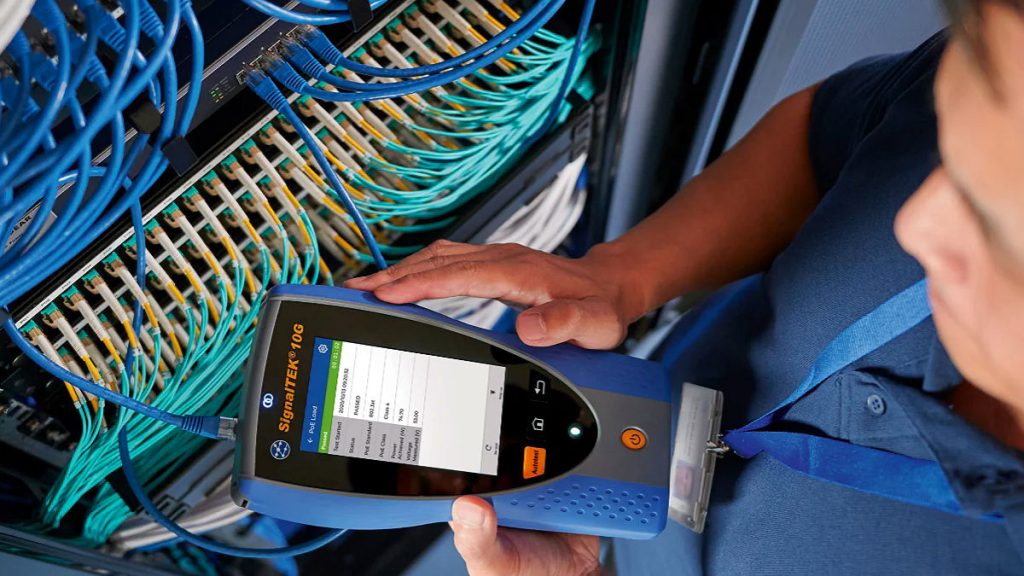
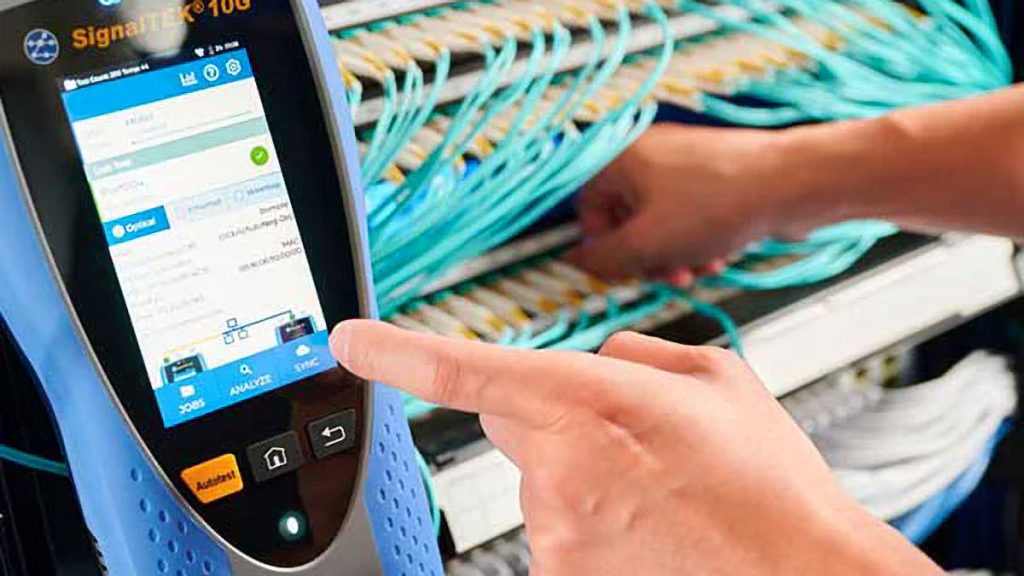
We’d test the Cat-6 run, check PoE voltage and load, and measure for a potential difference between the remote equipment earth/chassis and the local network earth. While you’re at it go ahead and check cable shielding, terminations, bonding and any surge protection – any external camera should have protection, but too many don’t.

Why the location matters

Two earth references, one metallic path between them

Toggle to see what a fibre run changes.

Admin officeSWITCH · VMSEARTH REF. ARemote cornerSWITCH · CAMERAEARTH REF. BCat-6 copperCIRCULATING CURRENTA ≠ B → the cable becomes the return pathΔV between A and BWorst when IR raises the PoE loadFibreNo metallic path between A and BΔV can still exist — it just has nowhere to goGALVANIC ISOLATIONCamera stays on a short Cat-6 run to the local switch

The point: nothing is wrong with the camera, the switch or the cable in isolation. The fault is created by joining two places that sit at different electrical references with a conductor. Fibre is the last resort, not the first — correcting bonding and earthing comes first.

If a ground potential difference is confirmed, we’d suggest correcting bonding/earthing rather than disconnecting protective earth. If the remote location can’t share the same electrical reference, replace the copper network run with between remote switch and admin. This will provide galvanic isolation between the remote camera and the admin building. The camera can then remain connected to the local PoE switch by a short Cat 6 run.

You can find some network cable testers and capabilities here or read more SEN news here

Related questions

Ground loops and PoE cameras

Why does my IP camera only drop out at night?

IR illumination is the heaviest load a camera places on its PoE supply. If drop-outs follow the illuminator rather than the clock, the fault is load-dependent — typically a marginal PoE supply, a cabling fault, or a ground potential difference that becomes disruptive as current rises.

My cable tester passed the run. Does that rule out the cabling?

No. A tester confirming correctly terminated pairs is exactly what makes this class of fault hard to find. It verifies the pairs, not the electrical environment the cable passes through, and it does not detect a potential difference between the equipment at each end.

What is a ground potential difference on a camera network?

It is a voltage difference between the earth references at two locations. When a metallic cable joins them, that difference drives an unwanted current through the cabling. On a camera link it shows up as intermittent drop-outs, spontaneous reboots and instability that worsens with load.

Can I fix a ground loop by disconnecting the earth?

No. Lifting a protective earth may remove the symptom, but it leaves a real safety hazard in place. The correct remedies are to correct bonding and earthing so both ends share a reference, or to remove the metallic path between them.

How does fibre stop a ground loop?

Fibre carries no current, so replacing the copper run between the remote switch and the head end galvanically isolates the two locations. The potential difference may still exist, but it no longer has a conductive path to travel along. The camera can remain on a short copper run to its local PoE switch.

Why is only one camera affected when the others are fine?

Because the fault belongs to the location, not the equipment. Cameras sharing a switch, a backbone and a VMS with the faulty one are working, which points at what is unique about that one run — a remote external position likely to have picked up a second earth reference.

“What Could Be Causing Our IP Camera Fault In SEN’s Opinion – Is It The Camera Or The Network?”
Join the conversation
What’s your read on this?
SEN readers are the people doing the work — installers, integrators, engineers, specifiers and end users. If you’ve got hands-on experience, a correction, or a view worth arguing, put it below.
ModeratedReal names welcomeNo sales pitches
John Adams
John Adamshttps://sen.news
A professional writer and editor who has been covering the security industry since 1991, John is passionate about clever applications of technology and the fusion of sensing and networking. A capable photographer John enjoys undertaking practical reviews of the latest electronic security systems.

Latest news

Wooroloo Prison Farm Seeks Perimeter Security Upgrade

Wooroloo Prison Farm Seeks Perimeter Security Upgrade Including Supply, Installation And Commissioning. Wooroloo Prison Farm Seeks Perimeter Security Upgrade -...

Surelock McGill Abryll Multi-Rated High-Security Lock

Surelock McGill Abryll Multi-Rated High-Security Lock Protects Against Forced Entry, Blast, Ballistics And Fire.Surelock McGill Abryll Multi-Rated High-Security Lock...

IQSIGHT Expands FLEXIDOME Multi-Sensor Camera Family

IQSIGHT Expands FLEXIDOME Multi-Sensor Camera Family Using Modular Architecture..senstack{--sen:#157fff;--senm:'IBM Plex Mono',ui-monospace,SFMono-Regular,Menlo,monospace;position:relative;display:block;width:100%;aspect-ratio:16/9;overflow:hidden;border-radius:6px;background:#05080d;isolation:isolate;contain:paint;margin:0 0 26px}.senstack img{display:block;width:100%;height:100%;object-fit:cover;transform-origin:60% 62%;animation:senstack-kb 30s ease-in-out infinite alternate}@keyframes...
- Advertisement -
DAHUA CHINA
SAGE 2026

New ASSA ABLOY SG100 Speedgate

New ASSA ABLOY SG100 Speedgate Supports Integrated Access Control.New ASSA ABLOY SG100 Speedgate - ASSA ABLOY's SG100 is a...

SecurityEdge Studio Streamlines Security Tendering

SecurityEdge Studio Streamlines Security Tendering With New Engineering-Led Tender Management Platform.body.postid-138429 .tdb_single_content h2{position:relative;font-family:Rubik,sans-serif;font-size:21px;font-weight:600;line-height:1.3;letter-spacing:-.012em;color:#111;margin:42px 0 14px;padding-top:19px;border-top:1px solid #ededed}body.postid-138429 .tdb_single_content h2::before{content:"";position:absolute;left:0;top:-1px;width:54px;height:3px;background:#157fff}body.postid-138429...

Gallagher Security Queensland Forum Brings Industry Expertise And Innovation

Gallagher Security Queensland Forum Brings Industry Expertise And Innovation To Queensland.Gallagher Security Queensland Forum Brings Industry Expertise And Innovation...

Must read

New Hikvision G3P 8MP Panoramic Camera

New Hikvision G3P 8MP Panoramic Camera Covers 180 Degrees...

Inner Range Releases Inception V7.3

Inner Range Releases Inception V7.3 With Support For New...

Power And Water Corp Seeks Physical Security

Power And Water Corp Seeks Physical Security Covering People,...

Allied Security Wins City Of Kwinana

Allied Security Wins City Of Kwinana Security Services Contract.Allied...
- Advertisement -
DAHUA CHINA
SAGE 2026

Gallagher Security Queensland Forum Brings Industry Expertise And Innovation

Gallagher Security Queensland Forum Brings Industry Expertise And Innovation To Queensland.Gallagher Security Queensland Forum Brings Industry Expertise And Innovation...

CCTV Monitoring Sought For Princes Pier

CCTV Monitoring Sought For Princes Pier By Victoria’s Department Of Transport And Planning.CCTV Monitoring Sought For Princes Pier –...

BGW Technologies Showcases AI-Ready Video

BGW Technologies Showcases AI-Ready Video Solution At Dell Technologies Forum.BGW Technologies Showcases AI-Ready Video - BGW Technologies showcased an...

Body Scanners For Queensland Women’s Correctional Centres

Body Scanners For Queensland Women’s Correctional Centres Sought By QBuild.Body Scanners For Queensland Women’s Correctional Centres - QBuild is...

CEIA OPENGATE High Throughput Weapons Screening

CEIA OPENGATE High Throughput Weapons Screening For Carried Backpacks, Purses and Bags.CEIA OPENGATE High Throughput Weapons Screening - CEIA...

Qamsong IPC-B3P8-ILP-U Delivers 180-Degree Coverage

Qamsong IPC-B3P8-ILP-U Delivers 180-Degree Coverage Using Dual-Sensors With Hybrid IR and White Light, Active Deterrence And Edge Analytics.Qamsong IPC-B3P8-ILP-U...
- Advertisement -
The people who specify, install and sign off security read SEN.Display, newsletter and sponsored content across Australia’s security industry.19,000+Monthly readers37,000+Page views200,000+Ad impressionsSee rates & specs →Google Analytics 4 · July 2026

You might also likeRELATED
Recommended to you