



Stax Installs Avigilon Alta For Charles Sturt University Comprising More Than 1500 Cameras Across 8 Sites.
Stax Installs Avigilon Alta For Charles Sturt University – Since 2022 Sektor’s Tom Kinkade has been nudging SEN to look at Charles Sturt University’s cloud-based Avigilon Alta video surveillance solution. This solution, installed across 8 CSU sites, represented a paradigm shift in CCTV applications at scale, Kinkade said at the time.
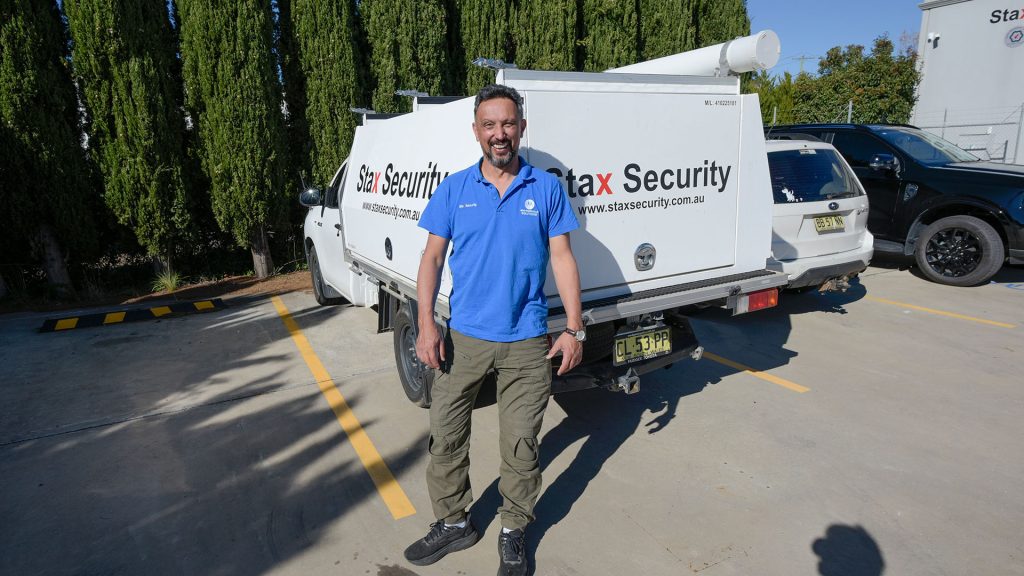
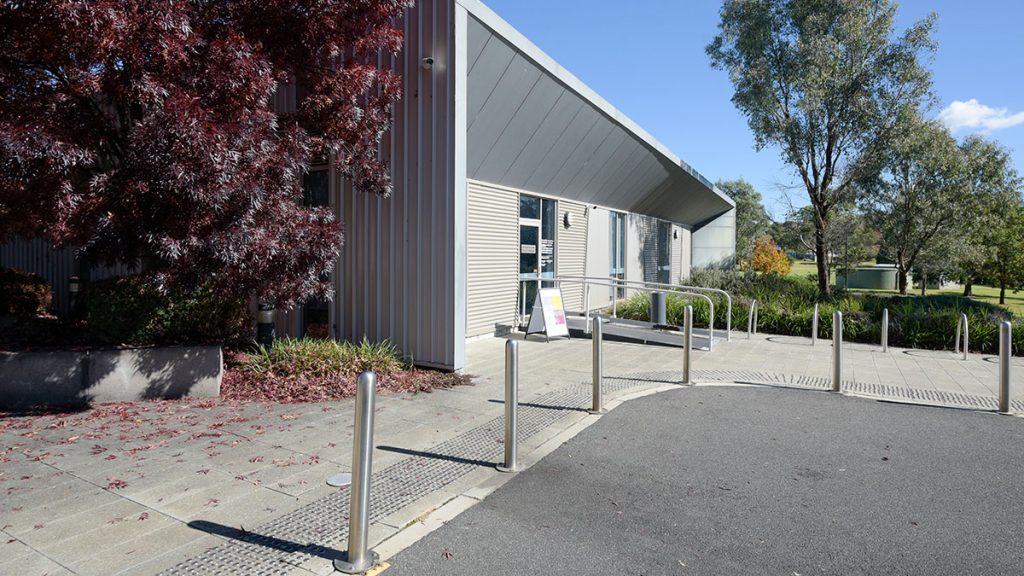
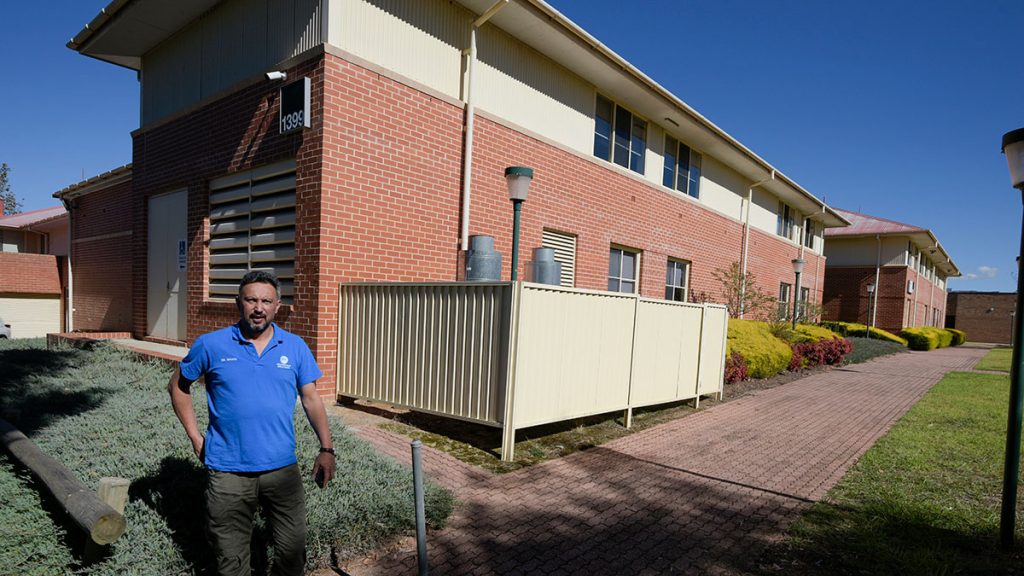
Knowing Kinkade we knew this system must be something special but with the intervention of COVID lockdowns we never saw the system and remained in the dark about its true nature. That changed a couple of months ago when SEN met Kerry Aldridge of integrator Stax Security and took a tour of CSU’s Bathurst site to get a sense of what the fuss was about.
Visiting the site was a serious eye-opener that made us question whether we had ever seen a true IP video surveillance system before we saw Avigilon Alta at CSU. Most CCTV systems have a traditional or hybrid topology. Even if they’re IP-based they follow a form factor in which cameras port to switches, to servers (or NVRs) in centralised racks for 30 days storage.
Within these traditional topologies, simultaneous feeds head to a central control room for live monitoring via a VMS. All this networking of camera feeds requires epic layers of cable and routing infrastructure that’s expensive to install, onerous to maintain and consumes a significant amount of power.
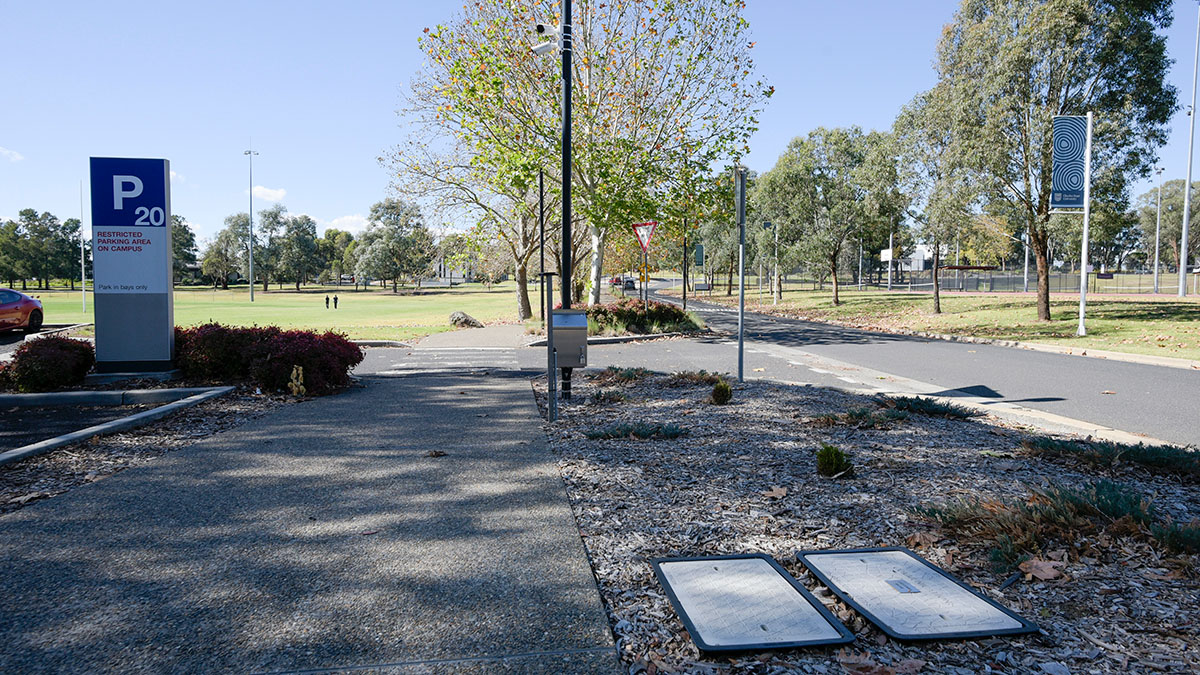
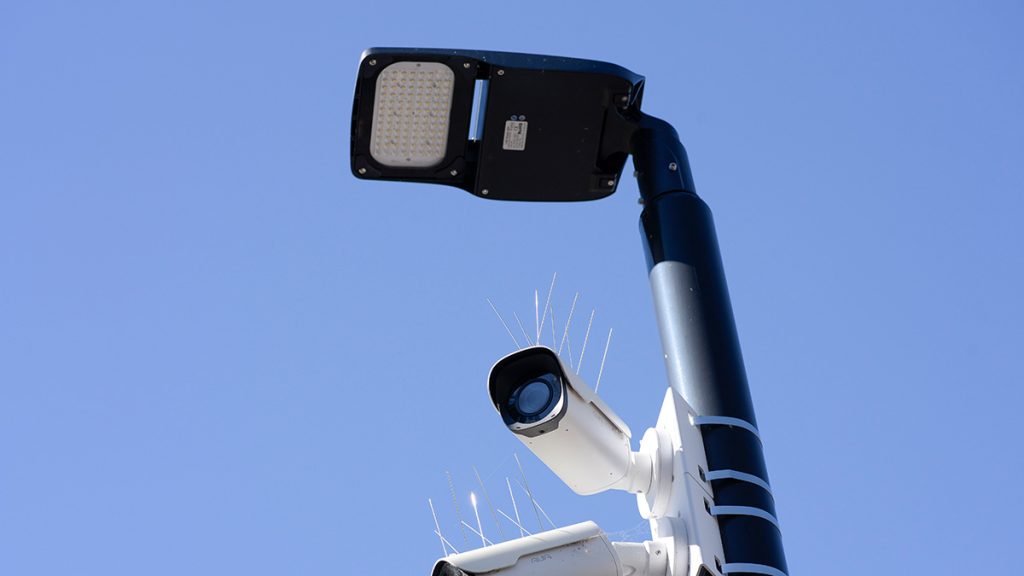
Right from the moment we got out of the car and walked the first carpark camera pole at CSU it was obvious how profoundly different this solution was. Here, camera signals aggregate to fibre in a pole cabinet, run to adjacent pits, then to the nearest field switch, then go up and away via internet to a Google Cloud data centre.
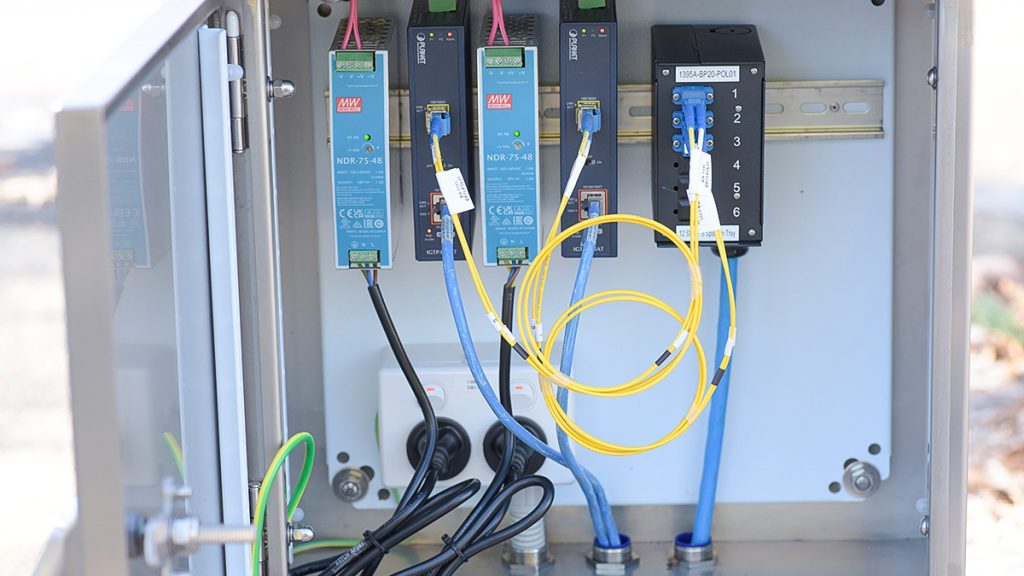
For site teams, that field switch is the end of their responsibility, and as CSU’s IT manager Tim Brown tells me later, this makes Alta not only a good network citizen but a good security citizen as well. What Brown means is that infrastructure that doesn’t exist can’t introduce network vulnerabilities.
Making the footprint lighter still, there’s no central control room at CSU. Instead, the Alta system, which incorporates analytics predicated on rules that are constantly being developed and polished, and anomalies the cameras can recognise, notifies security officers and stakeholders directly via secure apps on smart devices or via browser-connected workstations.
What that anomalies functionality means is that the Alta system ‘learns’ the site and if it detects something unexpected – a semitrailer outside student residences – it will immediately flag the event for response. Authorised stakeholders can also access the system via secure browsers from any workstation anywhere – that might be a laptop, or a 62-inch screen – whatever you need.
Even though this layout is explained to me by Aldridge up front, as we trudge the huge site I kept tripping over my feet in conversation, my mind instinctively returning to an expected system topology that simply isn’t there.
At CSU theres no central monitoring room with huge screens, no racks of high-end servers in air-conditioned network rooms, no need for server or client software deployments, no distributed UPS systems and no disparate ongoing software upgrades.
The fact camera feeds aren’t aggregated all the way to a central location on a huge campus was and remains a huge cost saving. Field cabling for remote cameras only needs to go as far as the first switch with internet connection and no further.
What Is Avigilon Alta?
Before we go further, it’s worth wrapping our heads around the nature of the system behind all this. Alta is a cloud-managed video management system that’s built around IP architecture, with processing distributed between edge devices and a central cloud platform – in this case the Google Cloud service hosted in Australia.
Operationally, Alta Video software provides video management, user authentication, system configuration, analytics and remote access functionalities via browser or mobile application. There’s no traditional on-site VMS server in the standard deployment model. As mentioned, users access camera views via smart devices or browsers. However, this means monitoring workstations could be set up anywhere there’s internet connection.
Field hardware includes Avigilon cloud-native cameras, which handle capture, local storage and encryption at the edge, and Alta Cloud Connectors, which aggregate and process data for third-party cameras if required. Avigilon Cloud Connectors operate as hardened devices running in a secured Linux environment, managed entirely through the cloud platform. Aside from these components, you’re talking network hardware.
All devices establish outbound connections to the cloud over HTTPS on port 443, eliminating the need for inbound port forwarding. Importantly, data is encrypted at rest using AES-256 and in transmission using TLS 1.2 or 1.3, while streaming uses DTLS and WebRTC to maintain end-to-end encryption.
Typical data flow with Alta is camera to field switch to fibre link to any convenient network switch cabinet and up to cloud platform via internet with system access then handled by authorised client devices.
With many Alta systems, video storage is primarily at the edge – that means on-camera using cards – with optional cloud storage included as part of camera licensing. At CSU recording began at the edge but the burden of the surveillance system on the network was found to be so modest it was decided to not only to record to camera with metadata going to cloud, but to record all cameras to cloud live and at full resolution, giving local redundancy via on-camera storage.
When it comes to security, devices are provisioned with unique certificates, and firmware updates are signed and verified. At the same time, user access supports role-based control, SAML integration, local credential management, and optional 2-factor authentication. Operational capabilities include live and recorded video, event search, rule-based alerts, mapping and audit logging, with analytics delivered natively.
Because Alta operates as a multi-tenant cloud platform with logical data isolation and customer-controlled access, in multi-site environments, each site operates as a node within a unified cloud-managed system, with local video storage and centralised management.
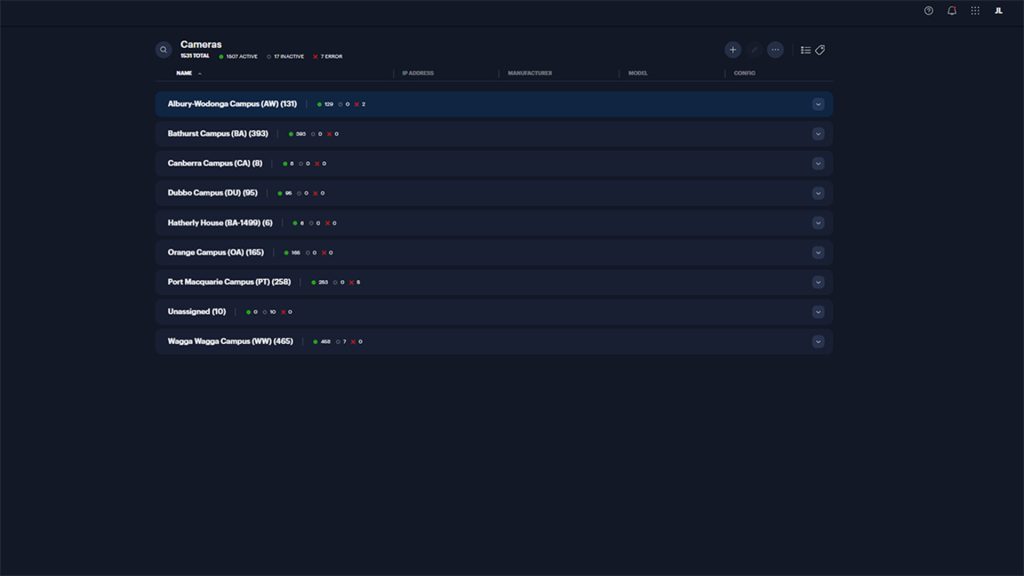
That’s important for CSU, which has 8 sites connected to the system, including Albury-Wodonga (131 cameras), Bathurst (393 cameras), Canberra (8 cameras), Dubbo (95 cameras), Hatherly House (6 cameras), Orange (165 cameras), Port Macquarie (258 cameras) and Wagga Wagga (465 cameras).
capture · edge store · encrypt›Pole cabinet
cloud connector›Fibre
pit to pit›Building switch
end of site scope›HTTPS :443
outbound only›Google Cloud
Australian region›Browser or app
any authorised device
| Platform | Cloud-managed VMS, IP-native, processing distributed between edge devices and cloud. No on-site VMS server in the standard deployment model. |
|---|---|
| Hosting | Google Cloud, Australian region. Multi-tenant with logical data isolation and customer-controlled access. |
| Field hardware | Avigilon cloud-native cameras handling capture, local storage and encryption at the edge. Alta Cloud Connectors aggregate third-party cameras, running hardened Linux managed entirely from the cloud. |
| Network posture | Outbound connections only, HTTPS on port 443. No inbound port forwarding, no listening services exposed on the LAN. |
| Encryption | AES-256 at rest. TLS 1.2 or 1.3 in transit. DTLS and WebRTC for streaming, end to end. |
| Device trust | Unique per-device certificates at provisioning. Firmware updates signed and verified. |
| Identity | Role-based access control, SAML integration, local credential management, optional two-factor authentication. |
| Storage model | Edge-first to on-camera cards, with cloud storage included in camera licensing. At CSU, all cameras now record full-resolution to cloud and to camera, giving local redundancy. |
| Multi-site | Each site operates as a node within one cloud-managed system — local storage, centralised management, single sign-on. |
| Operations | Live and recorded video, event search, rule-based alerts, mapping, audit logging and native analytics via browser or mobile app. |
History Of The CSU Solution
Given this system was installed in 2022, there’s some history to cover here. Prior to the install, Stax Security signed a contract with CSU to supply and install more than 1600 cloud native cameras. At the time the cameras were branded Ava and the system was managed on the Ava Aware cloud VMS platform.
Ava was later acquired by Avigilon and the system renamed Avigilon Alta – we’ll stick the current Alta name in our story from here on as much as possible, though we note there are some original Ava cameras happily chugging away on CSU sites, delivering image quality the CSU team continues to admire.
The original contract included a tight timeline for this big job, with 10-year licenses giving all parties surety around support moving forward. At the time, Aldridge said the system’s AI and ML audio and video analytics added layers of proactive, actionable intelligence on every single camera, letting stakeholders know what they need to be looking at in real time.
Meanwhile, CSU said the transition to a cloud-native ecosystem would save the university around $A6m over the life of the project, as well as perfectly fitting CSU’s increased focus on technology, safety, and security – with everything cloud first.
The way the system developed in 2022, according to Aldridge, was that the Stax team took the Ava solution to CSU, along with several options, sensing CSU’s IT Department was looking for cloud platforms across the board, including video surveillance, after a long struggle with multiple disparate CCTV systems.
“Integral to this process was a partnership with local Avigilon dealer, Sektor, whose physical security sales manager, Tom Kinkade, facilitated a very positive negotiation process,” Aldridge says.
“Sektor is a solid distributor, and Tom is an honest and respected operator – the Sektor team supported the direct engagement of all 4 parties; including Ava, the original developer of what became Alta, as well as Sektor, Stax and CSU; to demonstrate a united and feature-rich partnership that was ahead of the curve and showed real savings potential beyond the system’s life expectancy.”
In the Stax meeting room, Aldridge calls up the CSU system on a projector via a local browser – this gives me an immediate sense that Alta’s functionality is available anywhere to authorised stakeholders. The browser interface is simple, with fundamentals like notifications, sites, camera views, mapping, events and more, ready to hand.
“Comparatively, managing the old system required 4 different apps,” Aldridge explains.
During our chat at Stax we also meet with Martin Page, CSU’s manager essential systems and planning. Page, who has been highly engaged with enhancing the surveillance system for safety, operations, security and research purposes since before to the 2022 installation, manages aspects of the security and CCTV systems from an operational perspective as part of a broad remit.
Page, who is an enthusiastic operations animal with a deep understanding of CSU’s requirements, worked through the whole process of the changeover from the fragmented analogue and early digital hybrid system, which involved some NVRs and servers used prior to Avigilon Alta being installed. This deep engagement gives him a piercing view.
“Prior to the upgrade there were 4 different VMS applications I was managing, all of which had to be logged into and managed separately,” Page explains.
“These systems did not allow easy expansion or system-wide application of operational functionalities or upgrades.
“Trying to teach the security team to manage 4 CCTV systems was very difficult. With multiple systems there were multiple passwords – in some cases only a handful of people knew how to access particular systems on particular sites – when something went wrong nobody knew what to do or who to turn to.
“As you can imagine, applications for each of these systems needed to be updated, applications were running in different version numbers, there were licensing issues across multiple vendors – it was onerous managing that system – an absolute nightmare.”
According to Page, it wasn’t just a challenge handling the back end – he says that from a user’s point of view, there were too many things stakeholders simply couldn’t do. The challenges including have to conduct event searches at NVRs located in switch rooms.
It was in this strained environment that Page started thinking about the benefits of a solution that could handle all CSU’s requirements across all sites while eliminating pain points.
“Stakeholders were not initially supportive of changing to a new platform but as soon as we showed them the functionality of the new system and they had assessed network load they were totally on board,” Page explains.
According to Aldridge, from an adjacent Stax perspective, CSU had been building a video surveillance wish list for 6-7 years but a solution that met the big university’s multi-site requirements had not yet been developed.
“We were actually having discussions with CSU about a hybrid CCTV video surveillance solution product when Tom from Sektor showed us Ava and it just ticked every box,” Aldridge explains.
“After seeing the Ava solution I had a conversation with Martin and he immediately recognised Ava was the perfect system for CSU – at this point we undertook to do a brief concept.
“As part of this process, we took 3 options to CSU stakeholders, including the IT department, and instead of recommending one we encouraged them to pick the one they thought was best for CSU’s needs and give us feedback.
According to Page, CSU’s IT department immediately picked Ava.
“Our IT team had wanted a closer relationship with the security side, particularly surveillance, for a while,” Page explains. “This was partly because the latest CCTV systems were IP and partly because IP CCTV was so demanding on networks – Ava delivered that connection.
“Network demand was the biggest concern for IT but after they had completed testing they realised the onboard storage of the Ava cameras meant the system created barely any network load at all.
“It’s worked very well for us, having IT as part of the whole decision-making process,” Page says. “Their involvement has allowed us to standardize our protocols with IT protocols across all 8 sites.
According to Page, during the process, IT thought of things that operations and security may not have looked at, enterprise bandwidth issues, communications paradigms, elements that need to be engaged with when installing a system like this.
“Obviously that IT side then needs to be blended with the operational side – you also need input from the team that is going to be running the system and you need to bring the IT and operation elements together,” Page explains.
Meanwhile, Aldridge says the process of showing the system to CSU and having stakeholders sign off on an agreement to go ahead was only about 3 months.
“Given the investment, this fast decision time showed just how convinced CSU stakeholders were that this was the right system for their application,” he explains.
“Importantly, too, at the time they hadn’t put aside any budget for a system like this, but the team felt so strongly this was the right solution for CSU’s safety, security, research and more, that they found budget anyway.
“If CSU had the funding, they’d probably run hundreds more cameras across the network to cover every safety, security and research requirement they’ve got,” Aldridge says.
“This Alta system could easily handle it.”
According to Page, prior to the system being installed, he and Aldridge did 3 months of leg work creating documents that included all the information that that could possibly be required, and this made the contract process a lot easier.
“It was a process – the system needed to be signed off by chief financial officer, chief operations officer, chief information officer, chief risk officer – all relevant stakeholders needed to be satisfied their needs would be met by the new system,” Page explains.
Managing CSU’s Alta System
It’s the management of CSU’s enterprise video surveillance network that really sets this system apart and while we’re in the office in front of a screen Page walks me through the browser interface.
Access to cameras is controlled at the user level from their own smart device or workstation in this case by Page, who is busy driving the system.
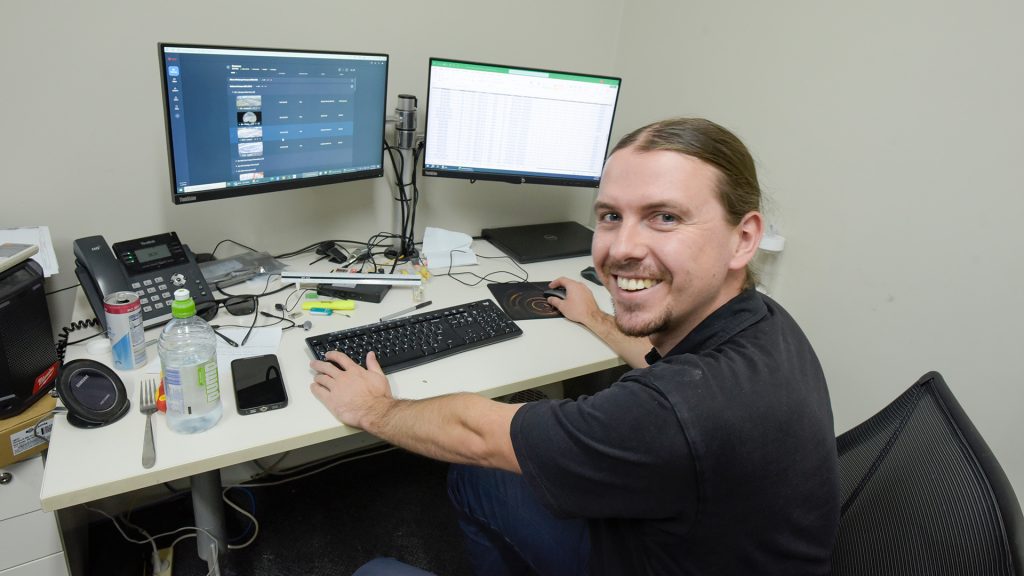
“Operators are assigned visibility over specific cameras depending on their role – some limited to a single campus, others spanning the university’s entire system,” he points out.
What’s notable, Page explains, is how little of the CCTV system’s daily use has to do with security in the traditional sense.
“The same infrastructure is applied to operational and research functions across CSU’s campuses, including research projects and livestock monitoring,” he explains.
Meanwhile, cameras in the library track queuing behaviour, and Aldridge notes carpark cameras are capturing entry and exit counts as a matter of course. The internal analytics functions have an intense operational focus.
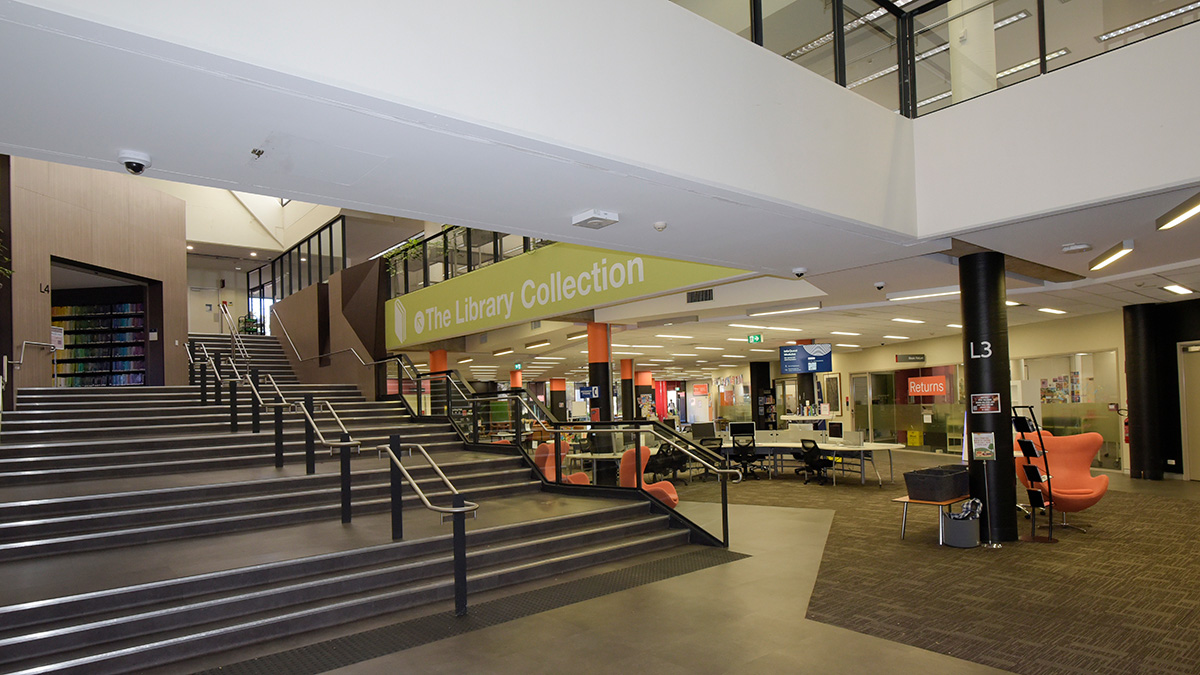
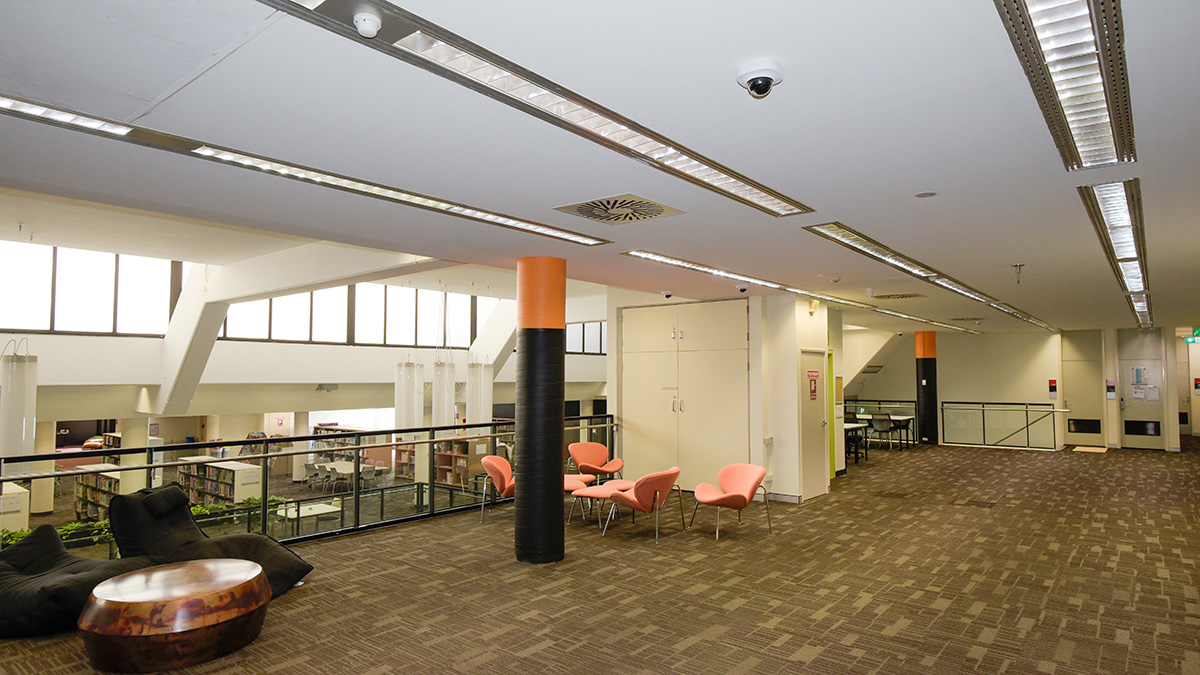
Page describes an instance where heat mapping revealed students weren’t using seating in a particular area at all, congregating instead in an adjacent space where they were leaning on a wall. There seemed no clear reason why, but the behaviour was consistent.
“Based on that data, the internal layout was changed – chairs relocated to areas of higher activity and utilisation improved,” he explains.
The same approach sorted out a bottleneck in the cafeteria, where repositioning tables fixed a traffic flow problem.
“These are the sorts of operational improvements that aren’t about security but that validate the investment – polishing event rules and understanding operational data is a key part of Alta,” Page says.
Page’s team uses the live system to confirm camera coverage matches design intent, rather than physically walking every site to check.
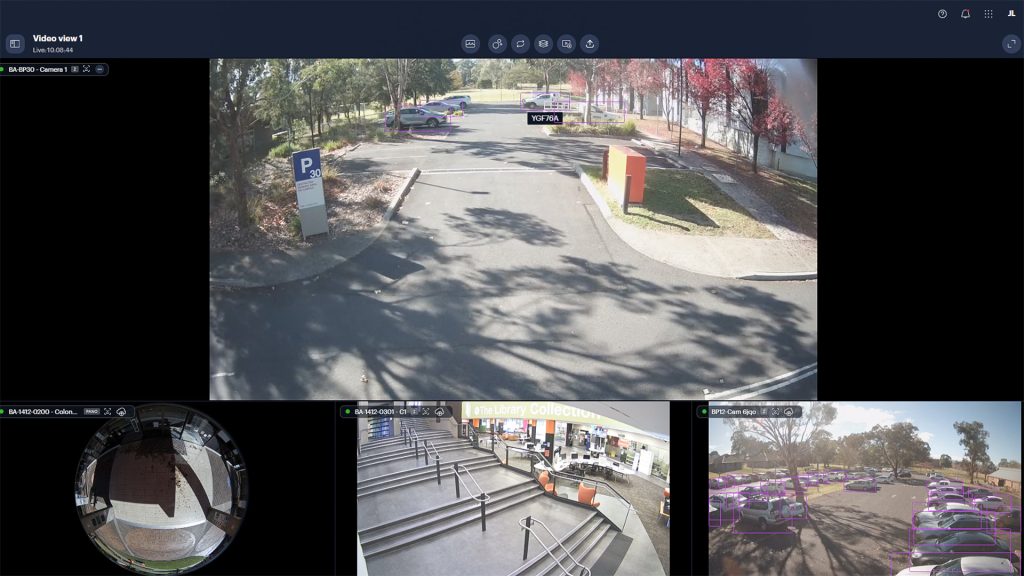
“With a system of this scale – multiple campuses and a large number of cameras – that saves considerable time,” he says.
According to Page, the secondary, non-security use cases are not just beneficial operationally, they were a key part of the original business case for this solution.
One such benefit: because the system tracks how many people are in a given space – the library, say – Alta can also inform staff rostering.
“There’s no point having a librarian rostered on at a time when there are no students in the library,” Page says. “Understanding those patterns allows greater efficiency.”
Importantly, facilities and space management teams can access Alta metrics without accessing footage, preserving privacy while still answering the operational question of how a space is being used and when.
Analytics rules are also central, and these are constantly being enhanced.
“Alta analytics can now reliably tell a human from a kangaroo – no small feat on a rural university campus with adjacent farms and bushland,” Page explains. “They can also filter out cats, dogs and wombats to cut nuisance alerts.
“Classification also extends to people and vehicles, unattended object detection, and audio analytics tuned to gunshots, screams or car alarms rather than conversation, aimed at improving safety on pathways between buildings.
Page talks me through the system’s ‘anomalies’ function, which is an area of real interest for any modern surveillance application.
“The idea is to make the system proactive,” he says. “It also recognises the fact that if you’re staring at a bank of screens, you’re going to miss things eventually – that’s just the way the human eye and brain work.”
Page has sat in a control room himself, and he’s candid that what’s been built so far is the tip of the iceberg – a process of writing rules, provisioning the system, and iterating functionality in a way that allows safety and security to be applied proactively.
“Security is one of my passions,” Page says, deftly steering his way around the system, “but historically security has always been reactive – something happens, then you investigate. With Alta we can do things that make it less likely something will happen in the first place.”
Aldridge makes the point that at CSU, security is almost a byproduct of the system rather than its sole purpose.
“The majority of the camera work here is operations. Security is a small part of it,” he says.
“Operational and safety spending is certainly easier to justify than security spending, which nobody misses until something goes wrong.”
Next, Page dives into mapping, pointing out that the naming convention across the CSU estate reflects the scale of the operation – not just cameras, but the location of fire extinguishers and other emergency equipment is layered into the mapping, so operators have everything relevant in 1 portal.
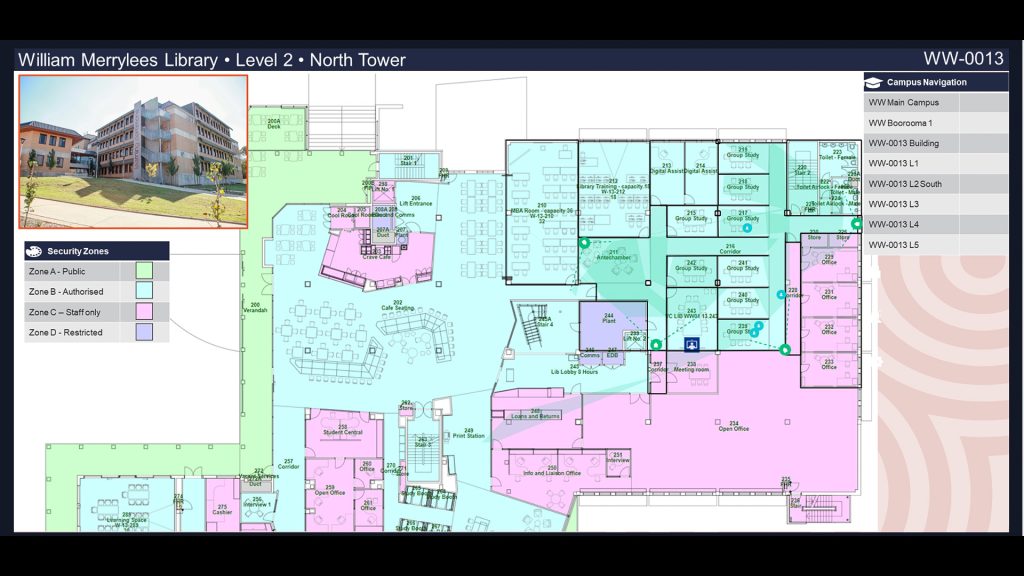
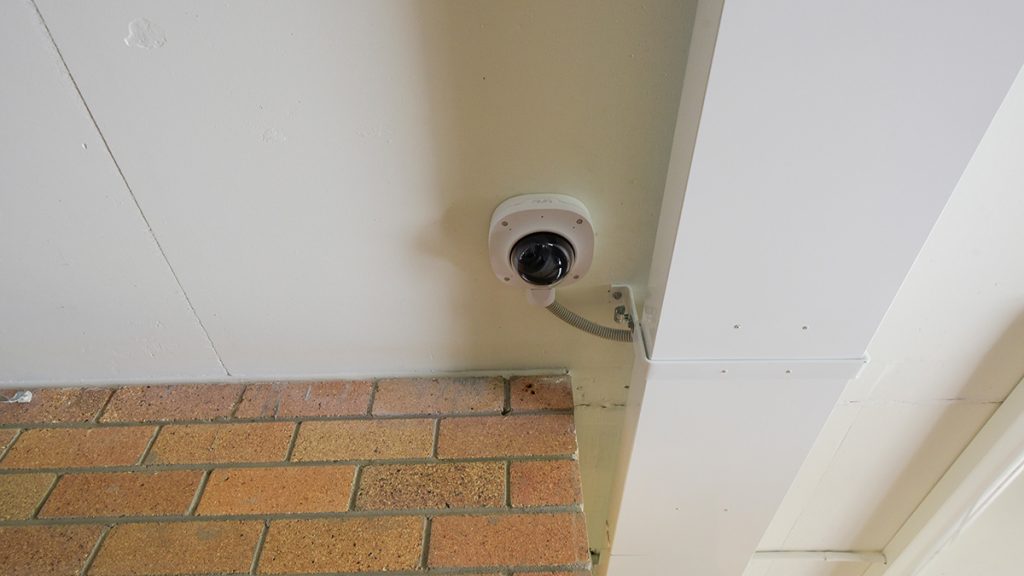
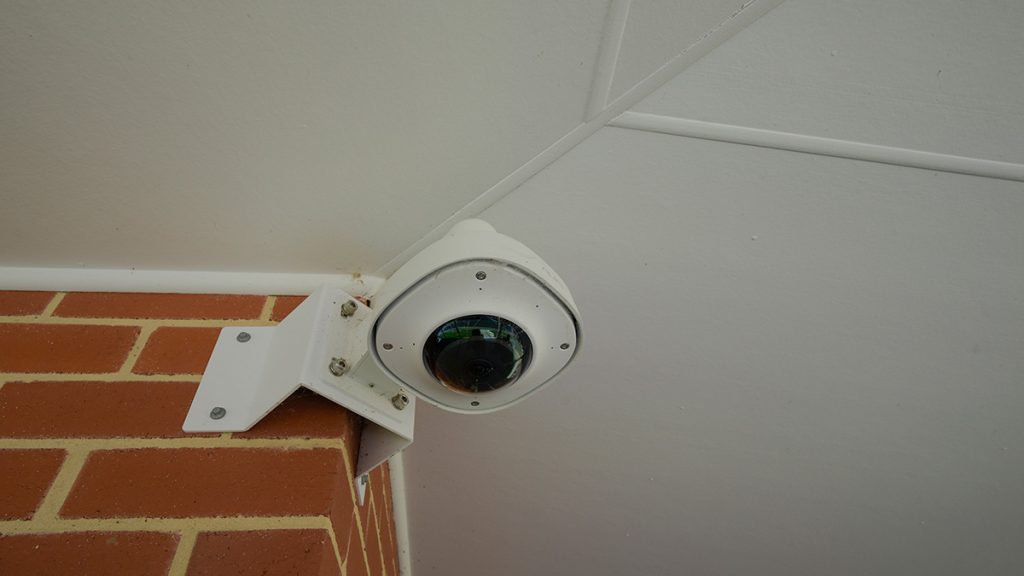
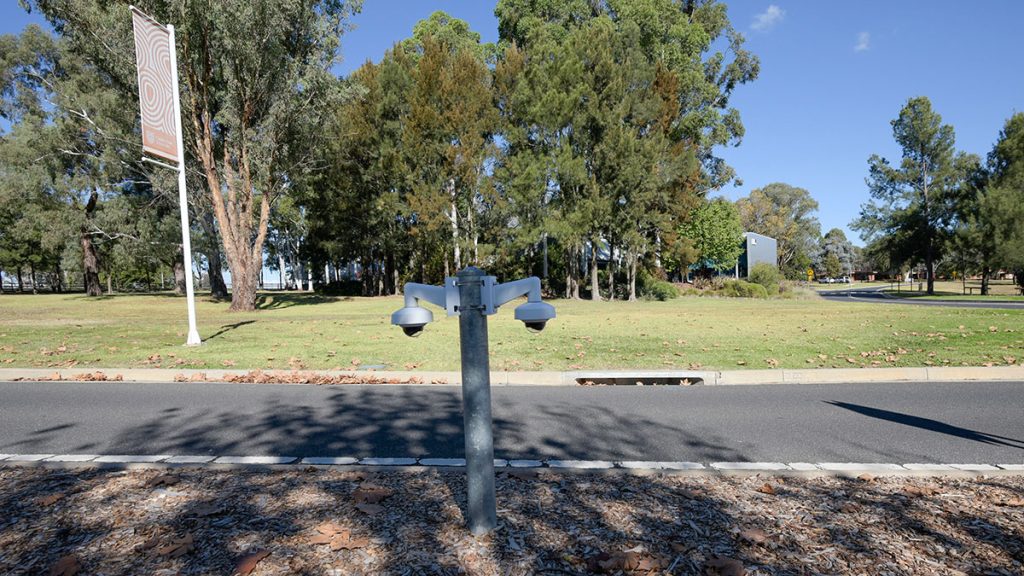
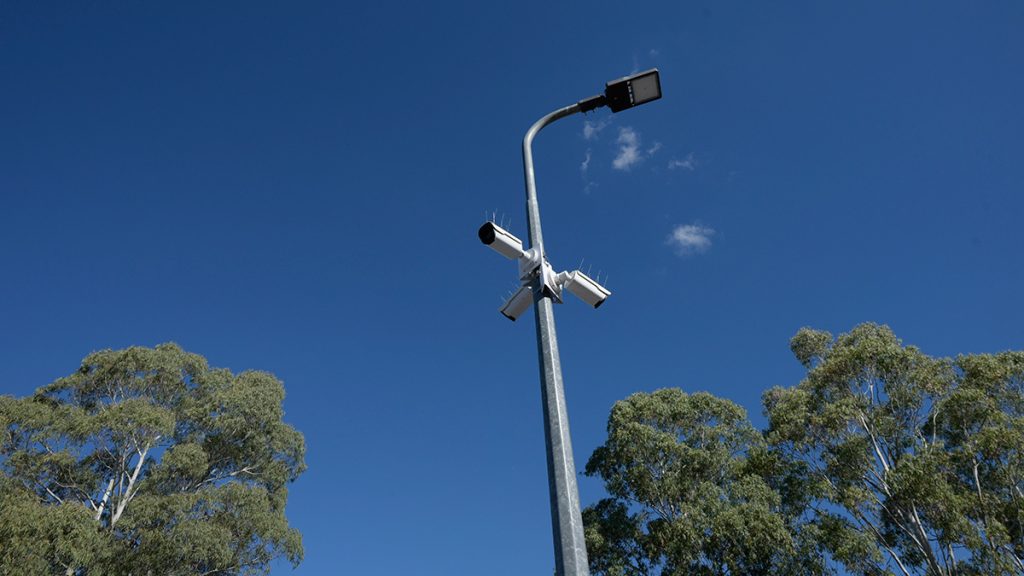
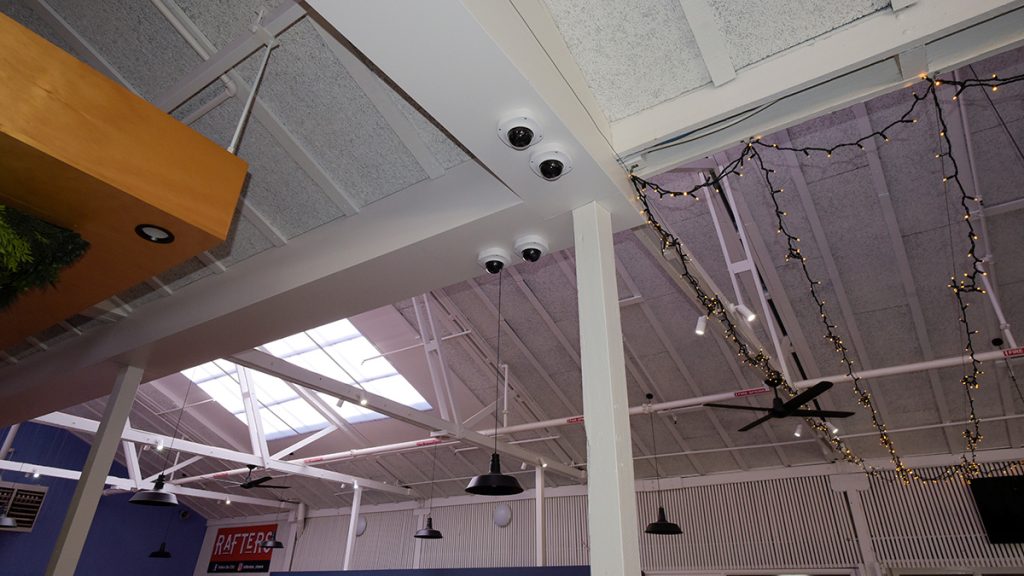
Aldridge points out the original camera types were limited to 3: bullet, dome and fisheye, all externally rated, even when used indoors. Watching Page zoom into one fisheye view, the resolution holds up so well I can’t help remarking on it.
Aldridge adds that CSU’s Ava cameras include multi-directional audio, letting the security team pinpoint the location of a car alarm or breaking glass making response times much faster. This functionality is also now available with Alta cameras.
Looking at night footage, I can see that getting usable number plates remains the usual battle, and not just because of low light.
“Australia doesn’t have uniform standards on number plates,” Page says. “Every state has its own rules around plate appearance and they change over time – it makes life harder for the AI.”
CSU’s answer has been physical: speed humps at entry points that force vehicles to reduce speed, at which point the analytics – which can also read signwriting and logos – have a fighting chance.
As a running joke, the security team entered Aldridge’s own plate into the system purely to be alerted every time he arrived on campus. It has never missed him yet.
When it comes to software, release management is treated with real discipline and it’s a key area for a cloud-based system like this.
“If there was an issue with cloud – and I had concerns early on – it was the pace of software and firmware updates,” Aldridge says. “What I’m talking about is changes pushed to cameras without being bench-tested first that end up negatively impacting system operation.”
CSU’s answer was to request the Avigilon team implement a delayed release cycle: CSU runs 14 days behind any feature release, giving Page and Aldridge’s teams time to assess impact before a change hits the network.
“We go through each release and assess what the features are, whether we’ll use them, what’s been fixed, what hasn’t,” Page says.
Operators get visibility into the same release notes, so issues raised aren’t duplicated. The cadence of development is relentless. Avigilon ships new releases roughly fortnightly, and, according to Page, the notes are thorough enough that staying on top of them is a job in itself.
CSU also maintains a direct relationship with Avigilon’s client liaison team, whose portfolio extends well beyond higher education – American Airlines is among the accounts. Issues resolved at CSU have fed into deployments elsewhere, including an ongoing university project in New York facing similar challenges.
One practical example: when Avigilon changed ownership and domain names shifted, Page made sure CSU’s addresses were grandfathered, sparing operators a scramble to update saved notes and bookmarks.
“With a full IP system, these are the sorts of things you have to stay on top of,” Page says.
Of all the challenges expected, bandwidth turned out to be the biggest non-issue. In the system’s original configuration, only metadata was pushed to the cloud, with recordings held on SD cards at the edge.
“In this configuration the CCTV system doesn’t use any bandwidth,” Aldridge says. “But since installation, with compression having improved and cloud storage costs falling, CSU has shifted to storing full video streams in the cloud as well as at the camera.
Installing CSU’s Video Surveillance System
Installation of the CSU Alta solution across all sites took around 6 months which is much less time than you’d imagine.
When Stax broke ground at Bathurst there were around 90 legacy cameras on site. There are now more than 393 cameras at Bathurst, 131 at Albury-Wodonga, 8 in Canberra, 95 in Dubbo, 6 at Hatherly House, 165 in Orange, 258 at Port Macquarie and 465 at Wagga Wagga.
The current 1500+ cameras were not all installed at once, but each site was largely provisioned during that initial roll-out with expansion – primarily for carparks – happening later as part of continuing upgrades.
Aldridge explains that cameras were commissioned off-site at Stax Security and that worked well thanks to the cloud-based nature of the system. This allowed cameras to be ‘installed’ on the CSU network on the bench at Stax then physically installed on each site, making camera points virtually plug and play.
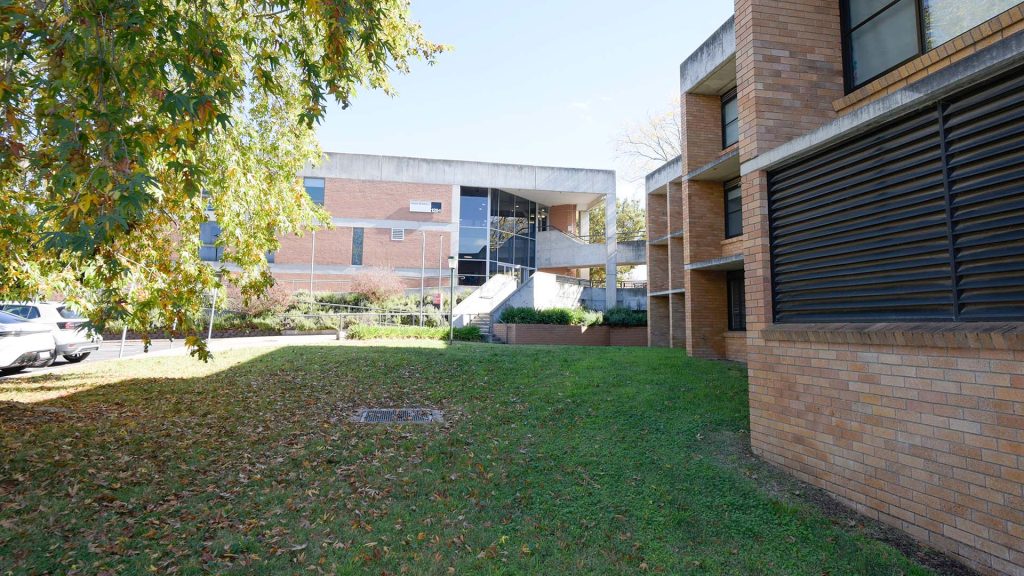
While the internal cameras used existing ceiling conduits and trays, much of the external infrastructure went in underground. When you’re walking CSU’s huge Bathurst campus you can understand why.
The university features groups of large facilities located at distance. According to Aldridge, there was plenty of directional drilling required to get fibre where it needed to go, especially in the huge carparks, and that meant pro-grade pit work.
“The way it works at CSU is that if you touch a pit, you’re responsible for making sure that pit is up to standard,” Aldridge explains.
“Because we work in mining, our standards for pit work are very high. That meant the initial cost was slightly higher, but once the pit work was inspected, the university came back and said our standards were so good that they were going to adopt them for every pit on site, for every contractor, moving forward.”
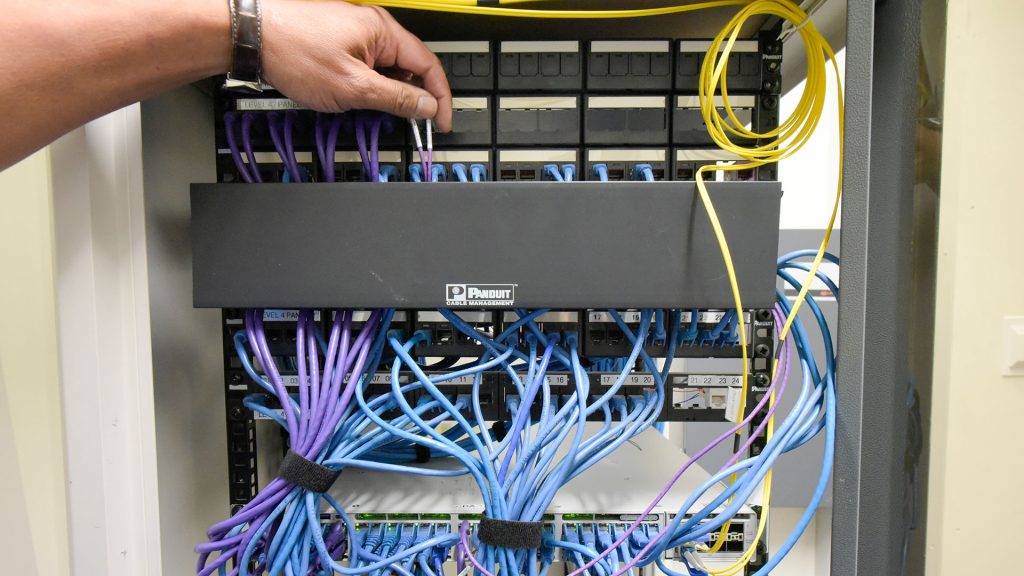
Importantly, the Stax team is Panduit-certified, working to Panduit’s 25-year warranty standard for infrastructure, and although Stax had never previously competed for general communications work at CSU, once the university realised the team’s competence it handed over all comms and associated works – directional drilling, pits, comms and electrical, the lot.
Every pit at CSU is now geo-located, labelling is stainless steel, and when mild subsidence around pits needed addressing 6 months after the initial install, Aldridge’s team returned and remodelled the ground as part of standard review.
It’s the kind of over-delivery that tends to define Stax work, according to Aldridge, who says that while his team is drawn from all over the industry, it holds itself to an elevated standard. As we start walking the site this shows.
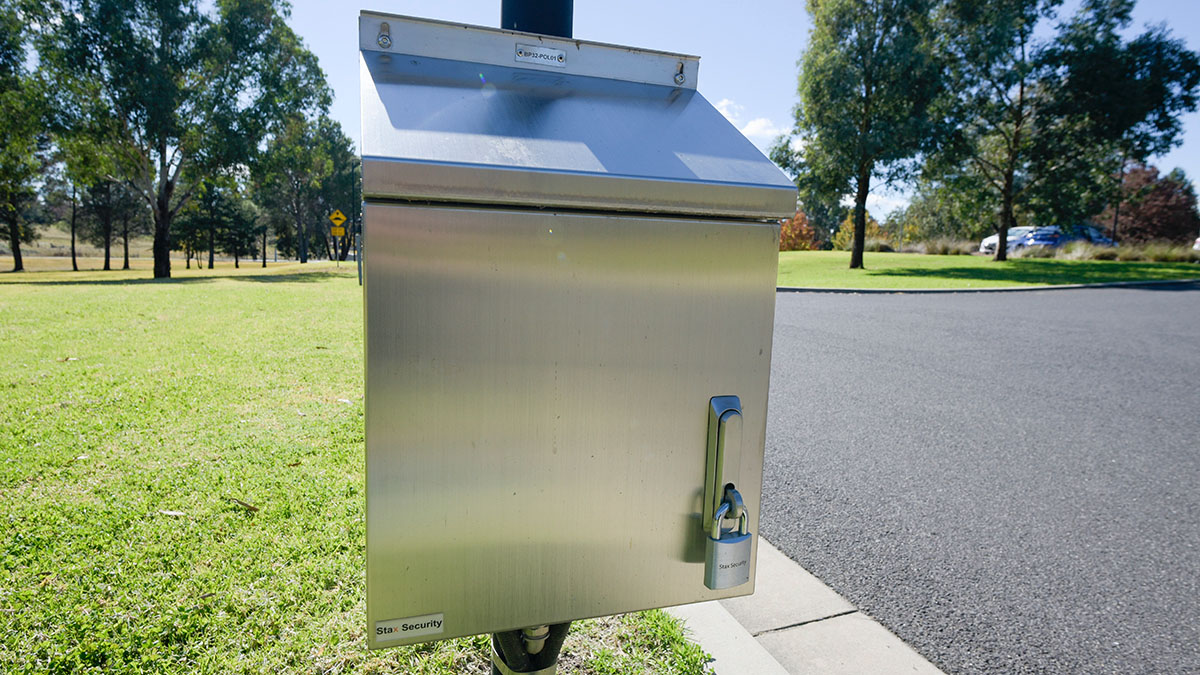
Coming to a carpark camera pole, Aldridge walks me through system topology: cameras down the pole into the cabinet then through Alta cloud connectors, into the pit, fibre from pit to pit then a hop to a switch location in the closest building and then it’s up the pipe to the cloud.
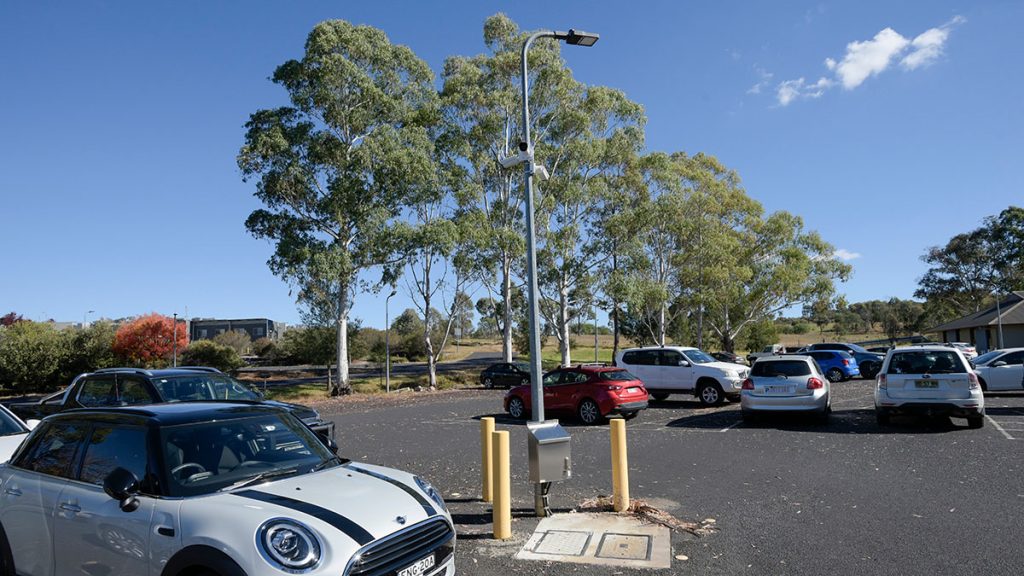
Essentially, we’re talking about camera to switch – that’s the local physical install for an enterprise application – that’s still a headshake moment for me.
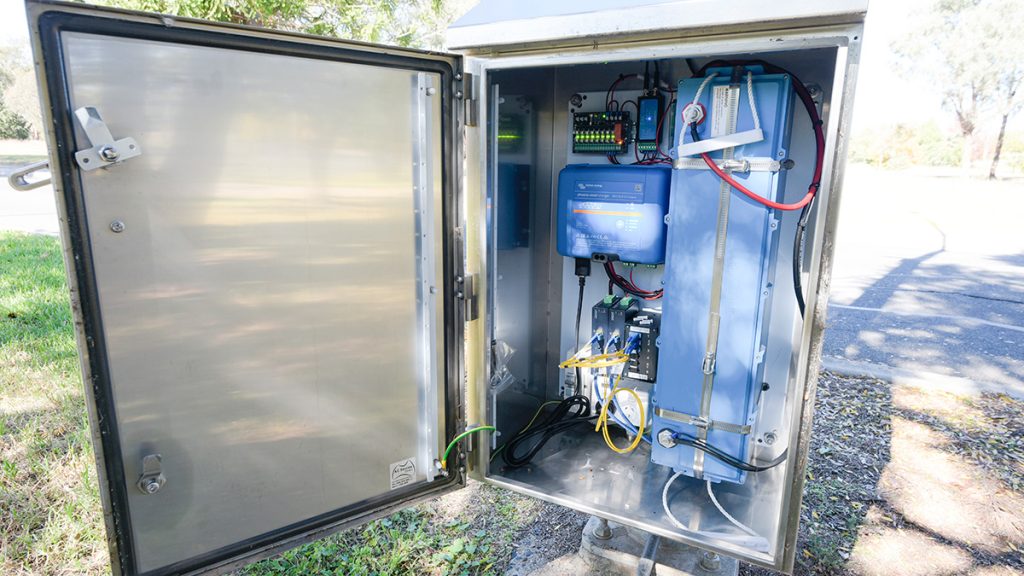
After looking at the carpark camera point, we head down to look at a camera pole Aldridge uses as a benchmark for the wider rollout. It’s a neat solution this – mains power for lighting that activates automatically at night also feeds a charger that tops up a battery to run the cameras during the day. Clever.
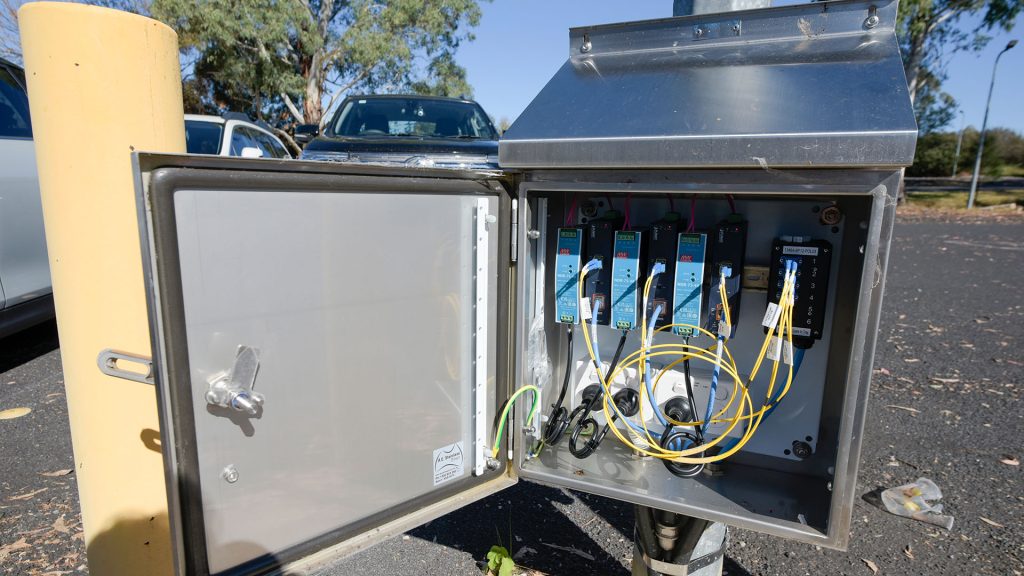
While I muck around with my Nikon, Aldridge opens the pole cabinet and points out the matched metals throughout to avoid galvanic corrosion, with everything inside labelled.
“I have no fear of showing you anything we’ve done on this site,” Aldridge says as I poke my camera lens into the cabinet. “It’s all of an excellent standard.”
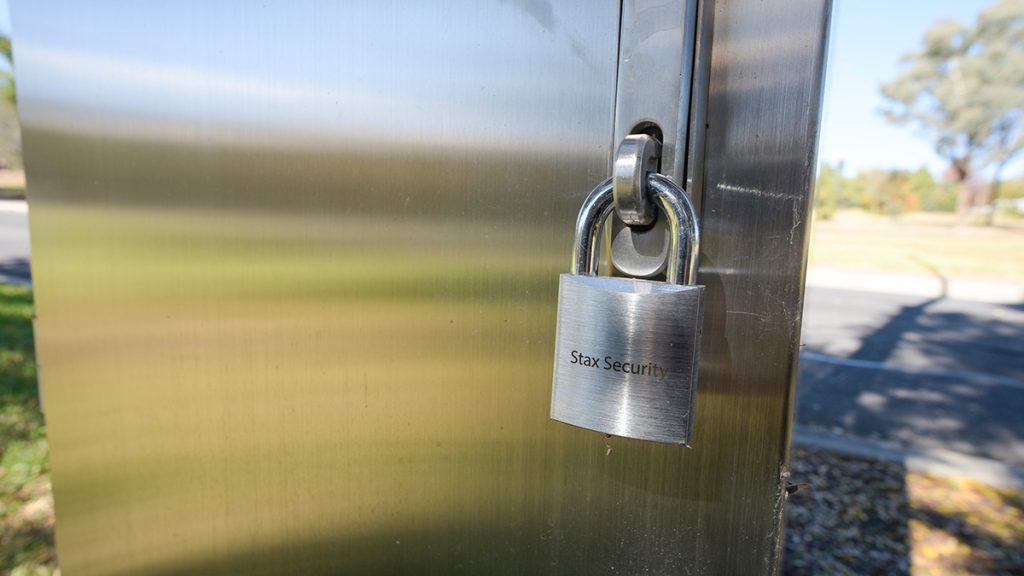
Aldridge also points out smaller details – high quality fixings and laser-etched stainless padlocks. These are telltales of a team going above and beyond ordinary requirements as an expression of professional pride – it’s nice to see.
Aldridge says that Stax is the only provider permitted to touch the cameras, and while the Stax team also does some work on the Gallagher access control system on site when required, video surveillance and access control are not integrated at a high level.
In terms of the installation itself – cameras, cabinets, cabling in the field, then fibre back into switches – notwithstanding 5km of optical fibre – this is a simpler physical build than it might have been because there’s no on-site server infrastructure to speak of.
Wandering around CSU Bathurst I keep repeating myself to Aldridge making mundane observations like: “It’s deceptively simple, isn’t it?”
In my head I’m trying to rationalise the complete lack of a node zero and the non-existence of any security control room and the fact there’s no local storage. Later when writing the story, the notion of a CCTV system comprising ‘camera feeds porting into switches – the end’ still feels discombobulating.
All the traditional core local video surveillance infrastructure simply isn’t here. It’s like meeting an access control solution and finding it consists of readers and blue cable. You can’t help reaching out for more.
What were the challenges of the installation? I ask Aldridge as we head up to the café.
“We didn’t have any challenges – we really didn’t,” he says. “The only challenge on this job has been securing funding for planned upgrades after the initial roll-out and that’s common to all universities post-COVID.”
Aldridge credits much of the project’s field discipline to Jesse, the young project manager CSU put in charge of installation, including coordinating contractors.
“Jesse was given responsibility for running this project,” Aldridge says. “He chose to use a lot of ex-Stax staff working in adjacent fields as contractors because he knew they’d maintain the Stax technical standard.
“One of those was an ex-mine-spec electrician who ran 5000 metres of fibre and power – including through the car parks – across the entire rollout in 3 months, a job that delivered infrastructure for close to 300 cameras.”
A year after the initial installs, Aldridge ran a warranty review across all campuses and says there was not one issue with any element of the system.
“That review went into details we probably didn’t need to do into it – resoiling and reseeding the ground around electrical and comms pits,” Aldridge says. “We had not a single complaint.”
CSU IT And The Alta System
Next, we head inside and check out some cameras in common areas, including the library and a couple of the university’s student bars.
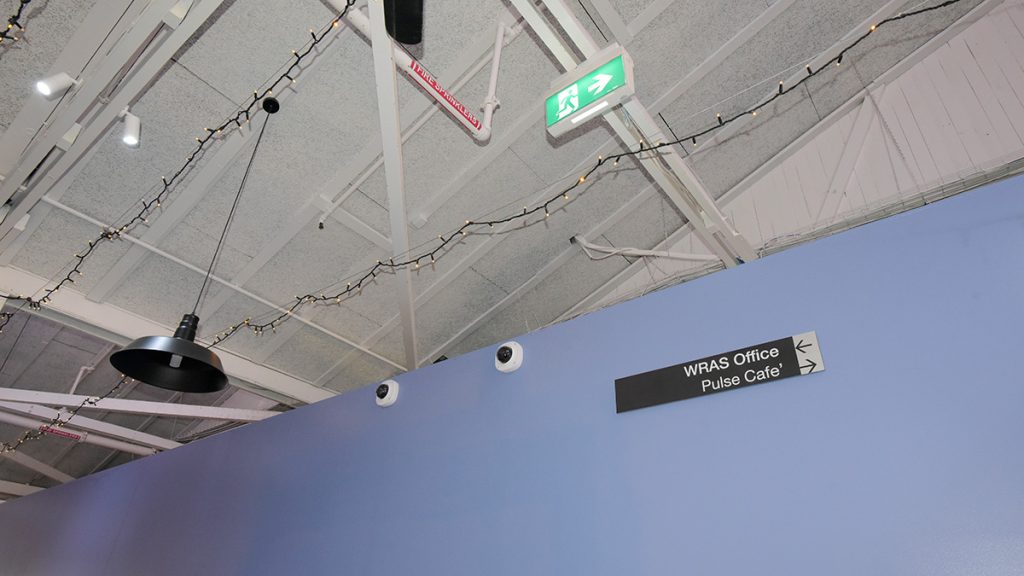
While we’re indoors we run into Tim Brown, CSU’s IT director, who gives us his network-eye view of the installation’s history and performance.
“Everything Stax did originally has performed exactly as expected to date,” Brown says. “We’re happy with the work.”
A scheduled backup to the cloud, rather than a continuous daytime stream, was key to managing traffic in the first instance, according to Brown.
“That flexibility was good,” he explains. “Bandwidth was our original concern, and as far as I can tell, it’s been a perfectly good network citizen.”
I ask whether that’s because it sits on its own sub-net, but Brown says it’s not that simple – the CCTV system shares CSU’s data network but is cordoned off within the university’s IoT space.
“From a CSU perspective, Alta only has access to the internet,” he explains. “That makes it easy for me from a cybersecurity standpoint, because it doesn’t need to talk to anything internal. It just goes out to GCP – the cloud data centre. That makes Alta a good security citizen as well as a good network citizen.”
“No lateral movement internally,” Aldridge adds.
“Exactly, and that’s a big security win for us,” Brown says. “It’s sent out as a SaaS application managed by Stax and our facilities people, so from a security view, it’s simple.”
Brown points out that bandwidth hasn’t caused any problems either. The on-campus fibre runs at an epic 25 Gigabit, while links between campuses run at 10 Gigabit. According to Brown, that inter-campus bandwidth is the only real potential bottleneck, but he says multiple redundant paths help absorb load and bandwidth expansion would be easy if ever required.
Meeting The Facilities Team
After we chat with Brown, we head over to speak with the facilities team, and I can’t help myself but ask Aldridge how the system is managed day to day by security staff. That’s because while we’ve looked at the system on a computer at the Stax office with Page, during our CSU site visit a head end and even a security office has been conspicuously absent.
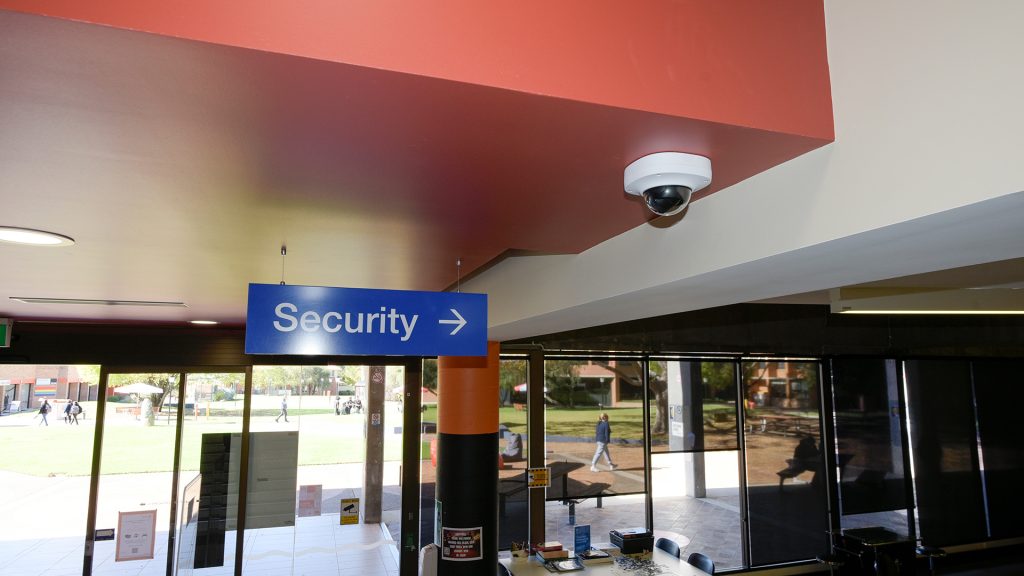
“Where is it managed?” Aldridge repeats, with a faint note of amusement. And before he can put me out of my misery, I answer my own question – “security officers just manage everything from their smartphones, right?”
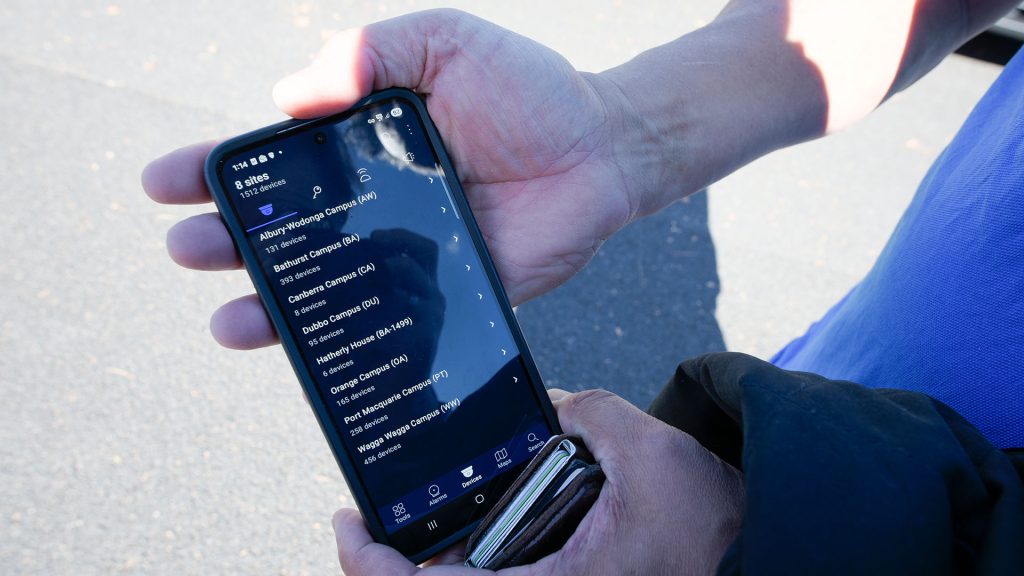
In reply Aldridge pulls up the app on his phone to show me – we’re standing in the middle of a lawn – and we look at vehicles moving through the main entry, check how much detail the system can pull out of the stream and view the multi-site tree directory of the entire 8-site CSU network, as well as the events list.
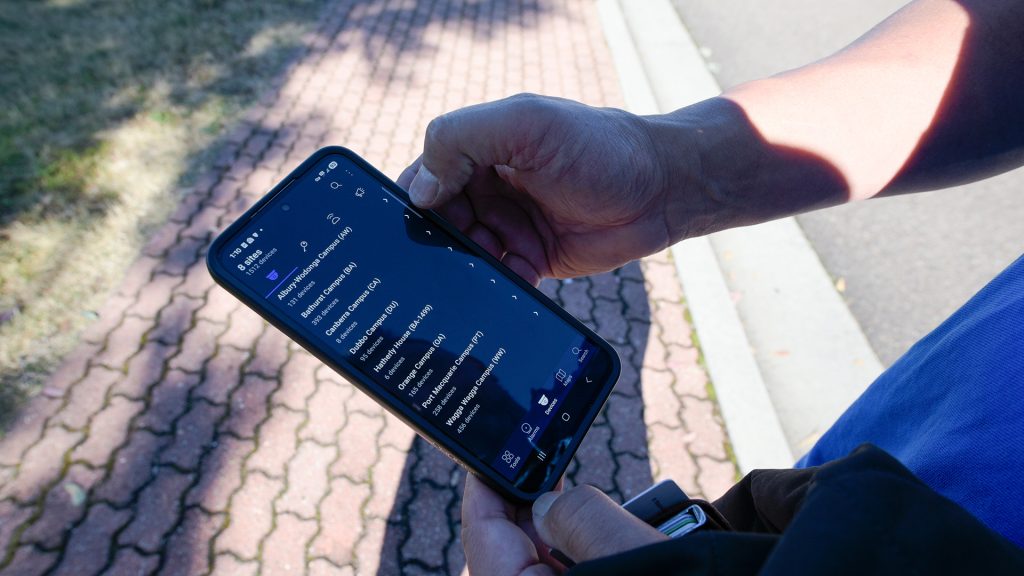
“There’s no central room full of monitors – AI does the watching, pushing notifications to security officers who respond,” Aldridge says with the slightly weary tone of a man who has said this 10,000 times before.
“Authorised users can also access CSU’s system from any browser, anywhere in the world,” he explains. “Multi-factor authentication protects log-in.”
Facilities staff, research security, administration, senior management – whoever’s authorised also gets in via smart device, or on any convenient workstation.
“There are no huge monitors or anything?” asks Captain Obvious, still unable to let go of the past.
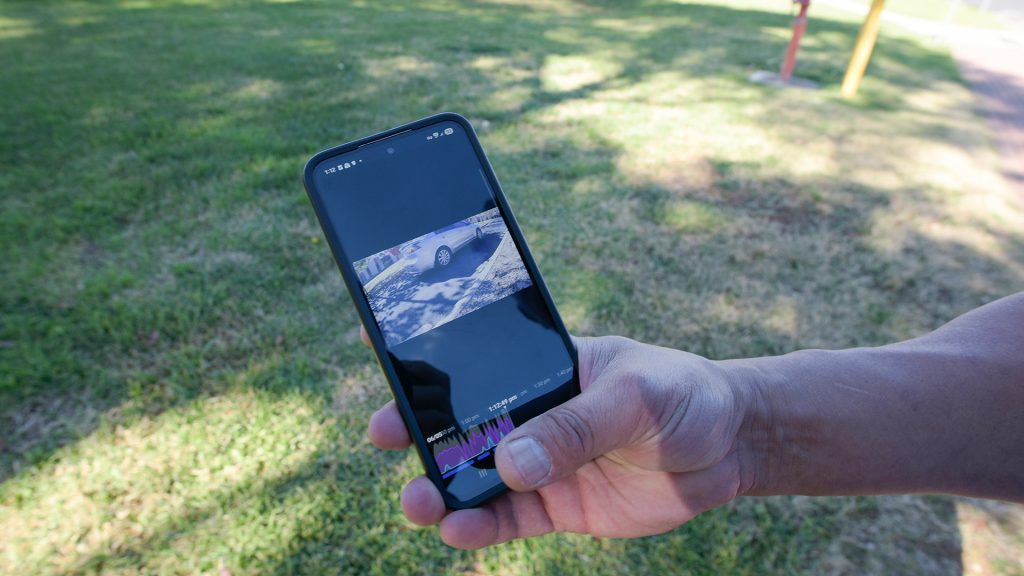
“You could set up a central location with huge monitors anywhere if your customer wanted one but at CSU the system is set up to remove that expense and operational latency,” Aldridge explains. “Events go straight to security officers so they can respond instantly.”
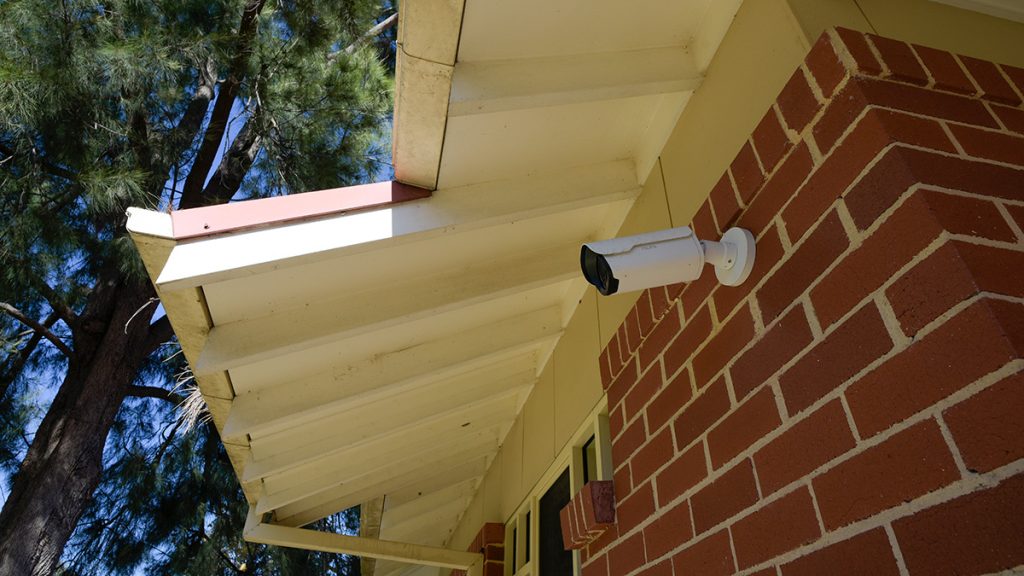
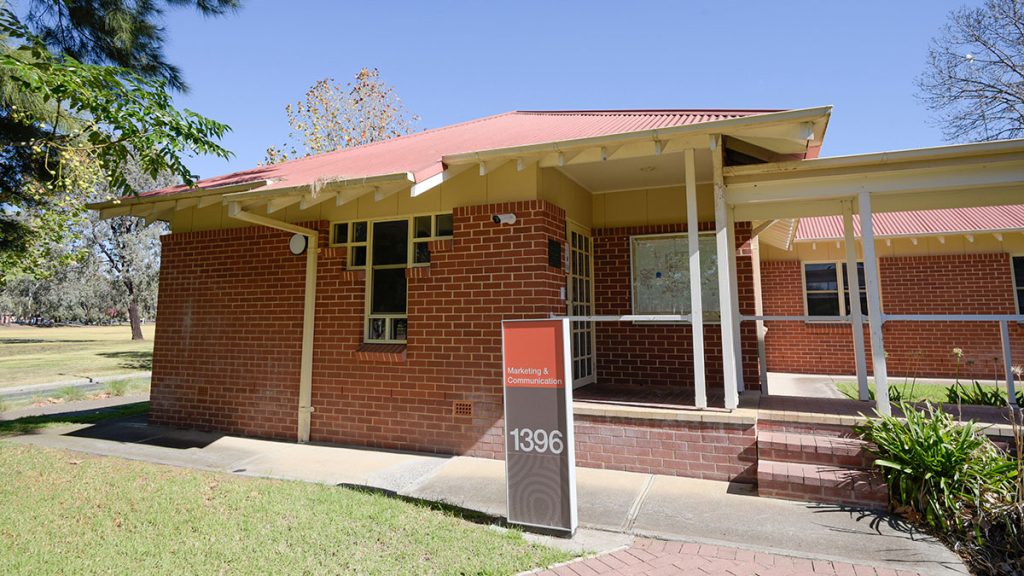
Next, we head down to meet CSU’s facilities team at their office. On approach, Aldridge points out the bracketry on one external camera, custom-formed for its mounting position on a corner outside the office. Inside, facilities team members are clearly comfortable and fluent with the system.
Facilities officer Brandon says the system has been a genuine operational asset.
“If I ask for footage from a specific date and time, the system gives me exactly that,” he says. Brandon has also tracked vehicles moving through the campus with good results.
Meanwhile, Therese, points out that lighting around the campus has improved as a byproduct of the camera rollout, making the facilities and security jobs easier. She recalls a recent incident of vandalism on campus that was easy to follow through the footage.
Aldridge adds that the system has also been used to track persons of interest across campus, working alongside police, with security able to follow someone in real time and relay their location and direction to police officers on the ground.
“Operators can also freeze a frame, tag a person in the image, and set the system to alert them every time that person is detected again – sparing them the job of manually flicking from camera to camera,” Aldridge explains.
Therese raises the ongoing challenge of getting number plates in low light.
According to Aldridge, that’s under discussion at a higher level, with the likely fix being a combination of slower traffic and better directional lighting, correctly pointing out that moving numberplates in low light poses a challenge for every CCTV system.
Conclusion
CSU’s Alta video surveillance system is the only enterprise CCTV system I’ve come across that delivers so much functionality from such a compressed topology.
Camera to control cabinet, converted onto fibre, aggregated to a network switch, then straight to the cloud for storage, with alerts pushed to mobile devices and workstations and no on-site servers and no local recording infrastructure.
We see a lot of CCTV systems, but this one stands entirely apart – a full-digital animal that is so cutting edge even 4 or 5 years after installation CSU’s Alta doesn’t just feel ahead of the curve, it’s the paradigm shift an AI-powered security industry needs to take.
Sektor and Stax have been encouraging SEN to come and see CSU’s system for years, and having seen the system it’s clear their excitement was not misplaced.
Being able to reach every camera view and every function on any campus, from a workstation browser or device app, while security officers take rules and anomaly-generated notifications direct to smart devices in real time feels like visiting the future our video surveillance systems have spent decades straining to reach.
Most organisations this size, even the digital converts, still run hybrid legacy structures with digital bits bolted onto them like analogue-digital Frankensteins.
Physically sleek and operationally seamless, CSU’s Alta installation is a tiger of a different stripe.
You can learn more about Stax Security here, discover Alta distributor Sektor here and read more SEN news here.
Sektor brought the platform — then branded Ava — to Stax Security, and physical security sales manager Tom Kinkade convened the four-way engagement between the developer, distributor, integrator and CSU that got the project across the line in three months. Sektor supports specification, design assistance and channel enablement for Alta across Australia.
Talk To Sektor About AltaStax Security ›Installed At CSU Are:
- Avigilon Bullet & Dome Cameras With SD Storage
- Field Cabinets
- Fibre Links
- Google Cloud.
“Stax Installs Avigilon Alta For Charles Sturt University Comprising More Than 1500 Cameras Across 8 Sites.”